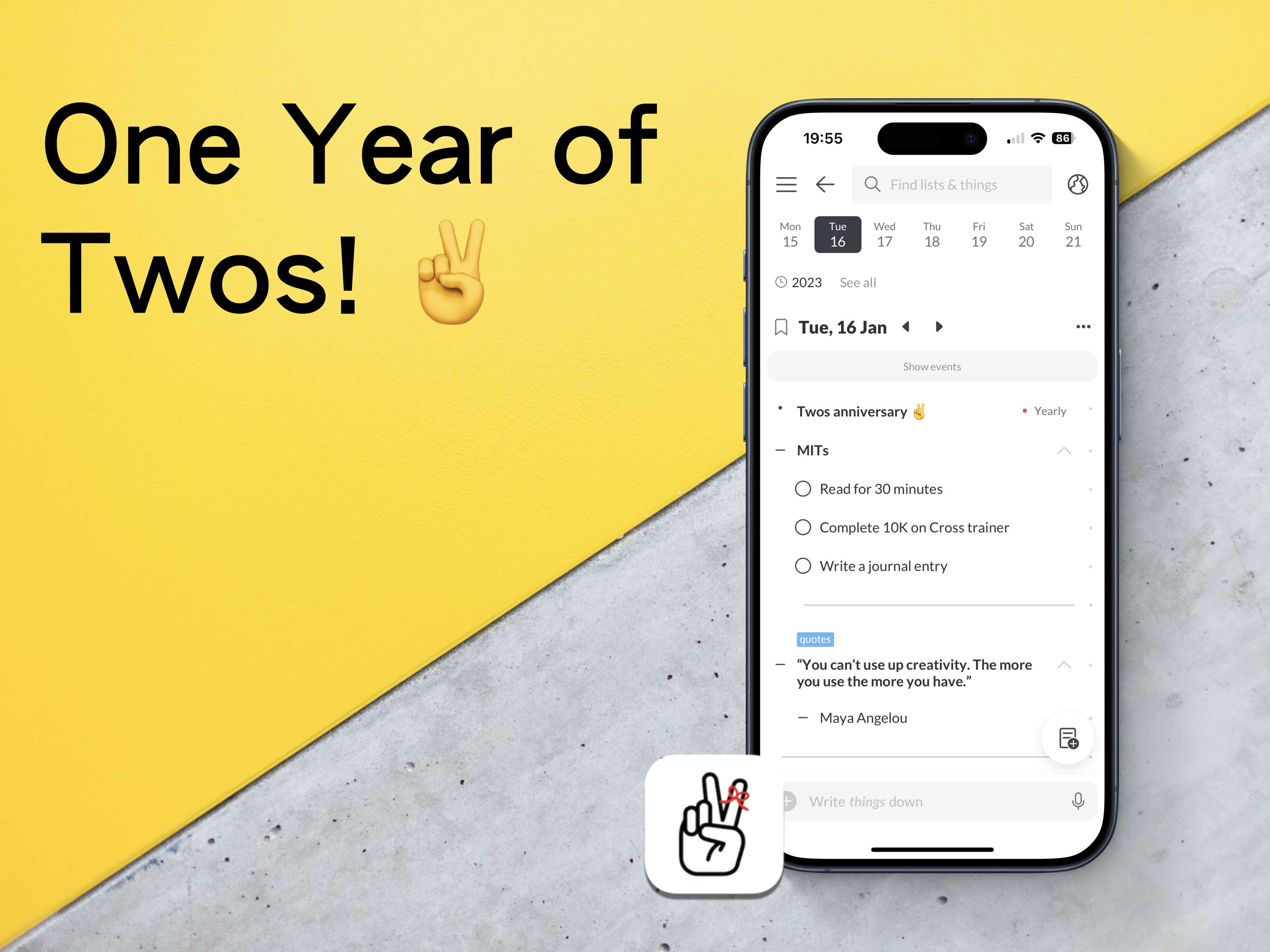
One Year of Twos!
A chance encounter with an app changed how I write things down.
I know I have mentioned this many times before, but I will briefly mention it again (briefly). At the start of 2023, I had a disastrous experience with a popular note-taking app, which meant losing an entire project for work. There was no way of recovering the data, and the app’s customer support had no way of recovering what I had lost either.
All I wanted was something to quickly capture ideas, thoughts, links, and tasks. To be honest, the app in question did not really do this. It just looked pretty. It also functioned like an old, dying elephant.🐘
I set out to find something better. Something that would work across all the different platforms I was using at the time. It had to be quick, enjoyable to use, clutter-free, and have a great community that wanted to help each other learn how to use the app.
I found such an app. It is called Twos!✌️
Imagine an app, a digital bullet journal of sorts, where you can add notes, tasks, events, link between notes, and share your information with others. Well, that is Twos. It is free with purchasable Pro features. However, you can earn in-app coins to purchase these pro features for free. Sign up with this referral link to receive 200 extra coins — https://www.TwosApp.com?code=codemaclife
First steps
I created an account, followed their onboarding instructions, explored the settings and played around with every feature it offered. I was greatly pleased with what I was experiencing. Dare I say, I was getting excitable. That was one year ago on the 16th January. Eight days after the regrettable events that had unfolded in the other app I was using.
I read a bit more about Twos. I wanted to see what people were saying the good, bad, and ugly about using Twos. I couldn’t find anything bad or ugly from the users, which made me sceptical. Furthermore, I was keen to explore to see if their claims of the being great were true or not. There must have been an hour or two dedicated to be reading the Discord channel and other comments across the internet. This was before I had written anything more than a task and one thing(things are each block of information in Twos).
I thought to myself — why don’t I just start using the app and learn the basics while I write things down in Twos?
Similar to bullet journaling, I wanted to start with keeping it simple. I know from working as an educator in England that getting a solid foundation of knowledge is key to building further skills.
I have no idea how long I spent in Twos on the first day, but I remember my phone’s battery went down to a single digit. I’m not one to spend a lot of time on my phone, and I don’t remember the time I have ever let my phone drop before 10%. Twos was mesmerising.
Now
Fast track to 365 days of using Twos. How has it gone?
It doesn’t take me long to figure out if an app will be the right fit for me. I have experienced a lot of them across three and a half decades of using computers. I’m confident to say I can make a verdict on an app within two hours. Many of them have the same features and a slightly different approach to aesthetics.
Twos is the first app in a long time when I haven’t thought about leaving. I expect I will be using Twos in five years time. Seriously, Twos, please don’t go anywhere! 🙏
I genuinely believe my experience of using a bullet journal and love for minimalism has influenced my unwavering admiration for Twos.
I work in a fast-paced environment. You wouldn’t think schools would be chaotic, but they are. I also have many responsibilities outside work, too. Being a father means I have to keep on top of my son’s busy, social schedule. There is a lot to process, mentally and physically. Don’t worry, though. Twos has my back.
The ten-month reset
Around ten months, I backed up my Twos data and deleted it all. I wasn’t planning to leave Twos. In fact, it was me thinking about how I was going to use Twos long-term.
Through trial and error, I tested all the different possible ways to use Twos. I mimicked approaches I had seen through the internet and Twos World (more on that later). There were a handful of systems I had previously used implemented in Twos. To be honest, my things in Twos were starting to look like a mess. I needed a new start.
With a blank slate, I create a list. It was called Twos — Part 2. Lists are like collections in bullet journaling. I sat down and thought about what I wanted my Twos system. In BuJo terms, I rapid-dashed ideas down as things in the list. Nothing more than five minutes and I had the ideal system for Twos.
I now have something that is easy to use, easier to maintain, and the easiest system I could possibly use in Twos.
Two features I use each day
Home
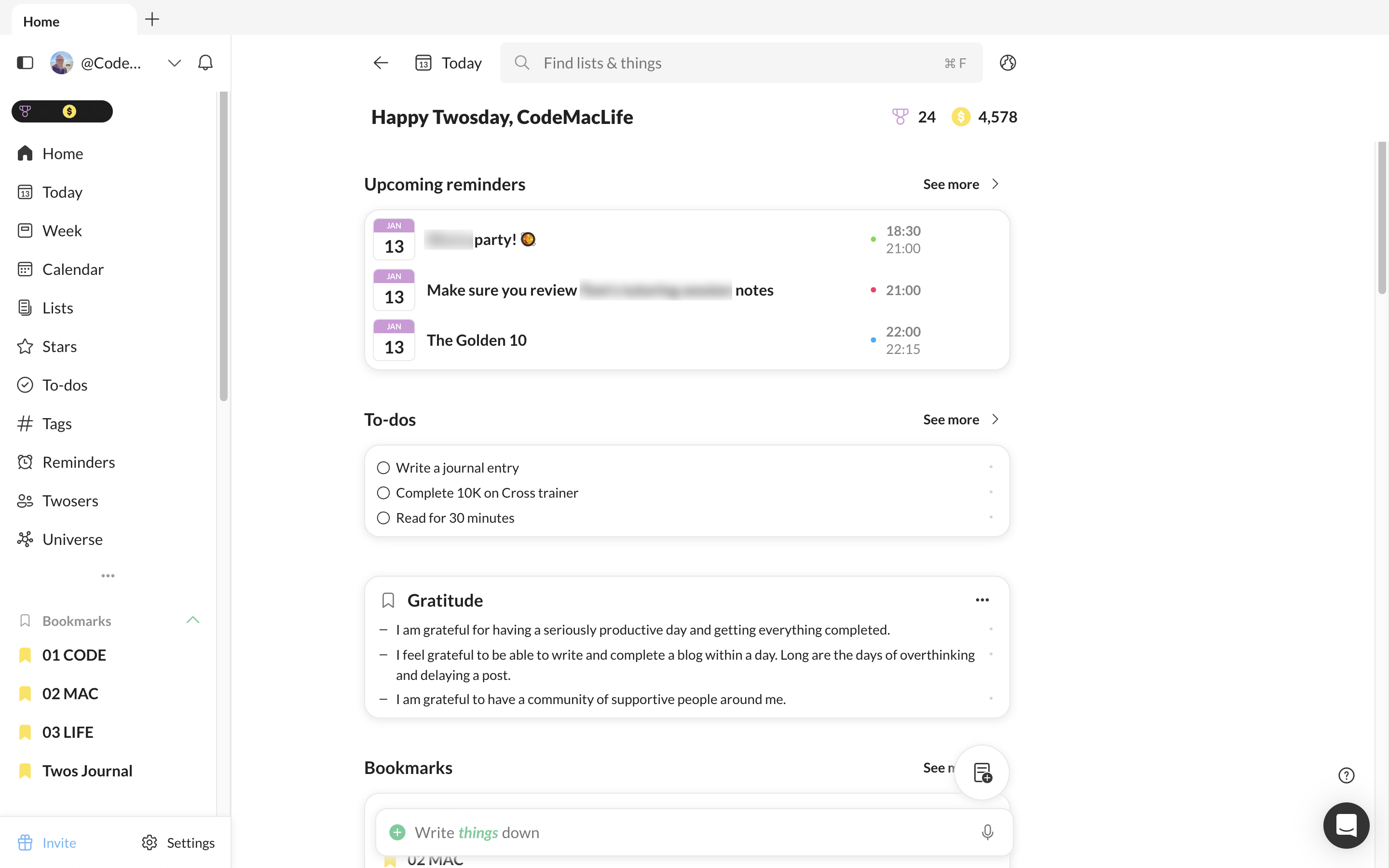
I dismissed the home page for a while. I always had my Twos set up to go to the Today page. However, I thought about the areas I use the most and thought it would be better for me to set them up on the home page and enable Twos to go straight to the home page. The Today link is always available from there anyway.
I have upcoming events, tasks, a gratitude, and affirmations lists I add to each day as well as my week view. Tags, stars and recent are all available from the Home page, too.
Double tap entries via Apple Shortcuts
Whether I am reading an article, thinking of an idea or want to record something to expand later in the day, I can double tap the back of my phone to enable the Twos prompt. It allows me to quickly add a thing to my Today list. There is no need to open Twos and add to my Today page, enabling me to get back to what I am doing.
To achieve this, I used Apple Shortcuts to create a shortcut available for Twos. In Settings, I went into accessibility > Touch > Back Tap. You can choose from a list of phone features or one of your Apple Shortcut list.
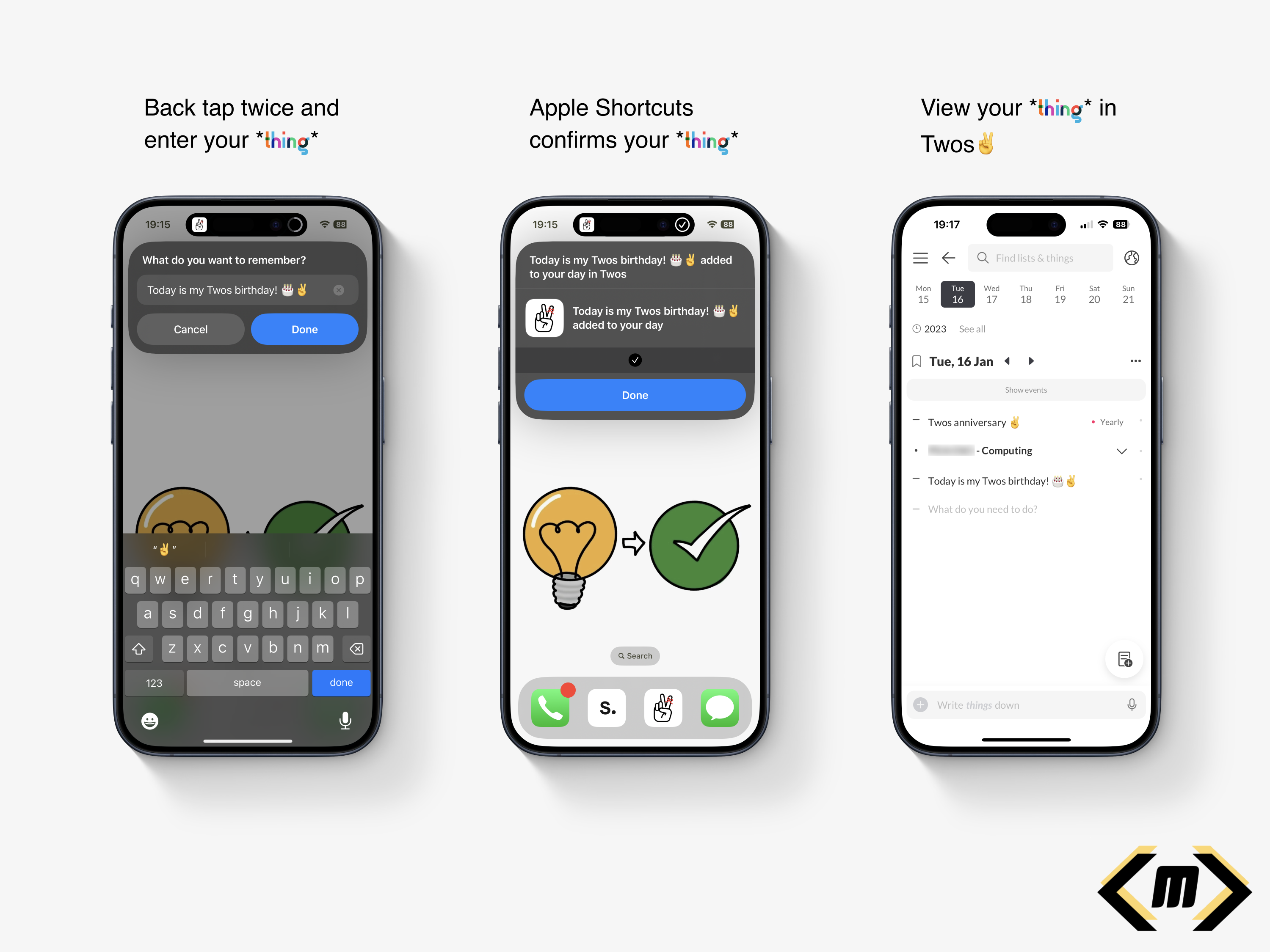
I feel my back tap method is a reason why I use Twos so much. It is quick, convenient and allows me to continue with what I am doing. There are distractions from Twos or any other app, just a simple prompt saying ‘What do you want to remember?’
Twos World
If you have no idea what Twos World is, here is my explanation and why I love accessing it each day.
Twos gets its name from the ability to record, privately or publicly. There are two options. As default, your tasks, events, links, photos, notes are private. Only you can see them. However, the second option opens up a whole new world of possibilities.
Twos World is where you can access, like and comment on the things and lists of others. It is a haven of knowledge, learning, quotes, and personal experiences. It is a positive social media-like experience. No negative vibes here. We are a community of individuals who want the best for each other.
A particular favourite of mine is book reviews/notes. I like how I can read the notes from a reader’s post. The summary, quotes, messages, and reflections make Twos the perfect book club. I have been inspired to buy the books myself. At the same time, I have seen the content and chosen not to pursue a purchase. My time and attention is valuable, meaning I can spend my efforts on a book I will take value from. Thank you, Twos community!
Sharing on Twos is like having your blog. To prove a point, this post is available on Twos to read. There’s no option to have a custom domain, but it is a great start to sharing your content online. Did I mention this is all free? No added subscriptions here!
Twos have come a long way
The Twos app I used one year ago is noticeably different to the Twos app I use now. A lot more useful features have been added to make Twos the perfect companion to use every day. Look at the Twos Roadmap to see what has been added and what is coming to the app.
Toggle headings have to be my favourite feature of all. I don’t necessarily want information in a new list, but I would like to be able to hide the content when I am viewing it on the Today page. By introducing the toggle feature, I was able to focus on the content that needed my attention without being hidden with an array of other information.
Talking about focus. Did you know Twos has a focus feature? It requires a bit of further polish, but it is great for those who want to time their activities. I like the Pomodoro technique because I struggle to focus for 25 minutes, or I spend too long on an activity.
To be honest, I could write a blog or two about the features of Twos. I have two already:
I created a list of the features from the roadmap I would like to see come out — here.
Features I would like to see come to Twos
Some features are not on the list above. I believe these would make great additions to Twos. I hope they would help others.
Twos Extension
Twos has an extension to quickly clip an article or website. I find it useful when I want to quickly capture the website without opening up Twos. Unfortunately, the extension is missing from Apple Safari for Mac. This is my primary browser. I would like to see the extension come out for Safari via the Apple Mac Store.
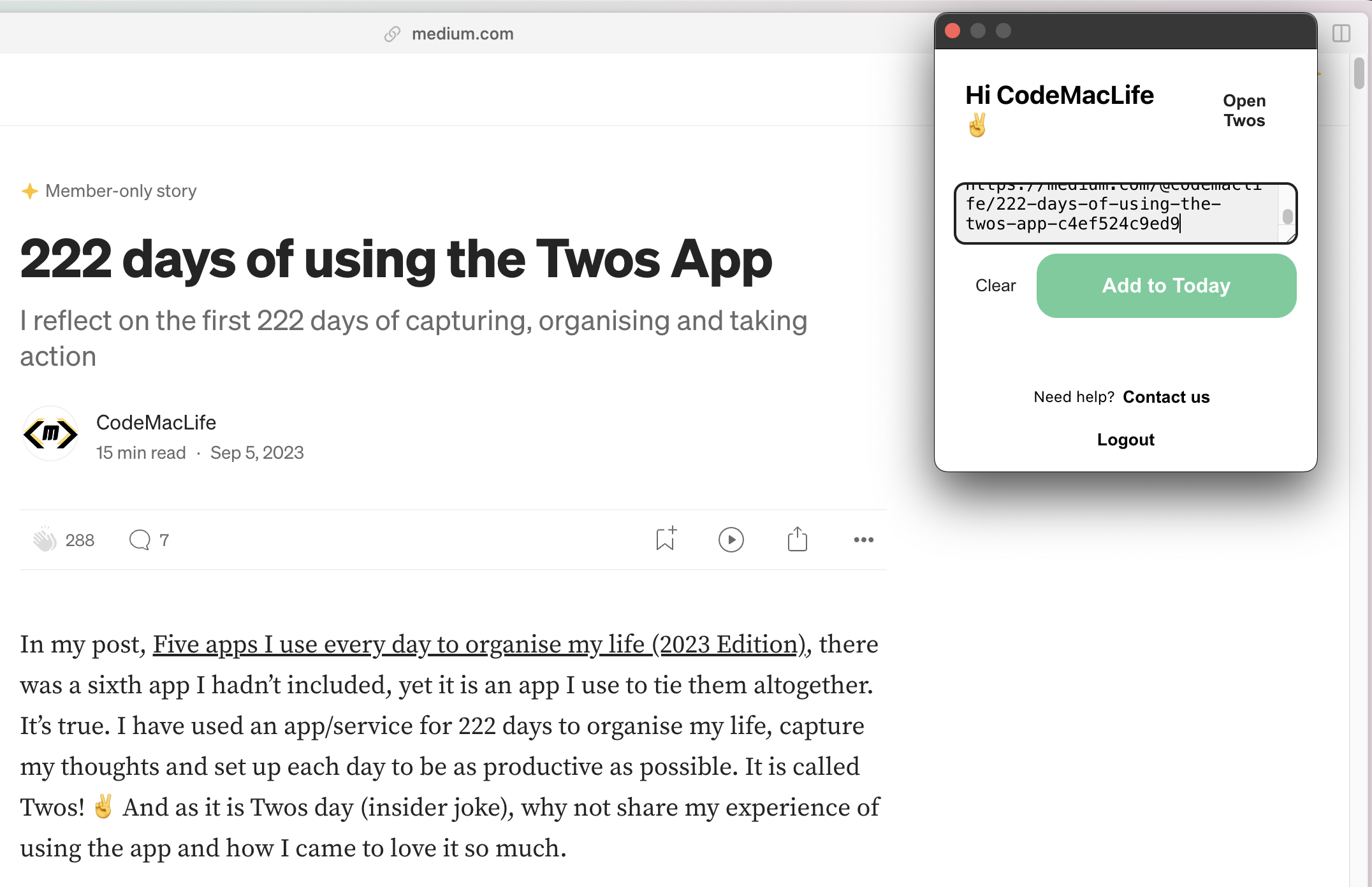
Another thing missing, and I believe, an option underneath the extension to add a comment about the bookmarked link. There have been times when I have bookmarked a link and then wondered why I had. I have no idea in what context I saved it. Twos is a tool for remembering, after all. I would expect the captured website to save as a toggled header, with comments about the website to be indented below. Having comments to with the content you save is useful for the future self.
Offline for desktop and web app
There are times when I purposely go offline to keep focus. Other times, I simply don’t have access to the internet. Twos works amazingly offline on the phone and tablet apps. However, I am yet to experience all of my content offline on the desktop.
I believe Twos needs a PWA experience with full access to your data when offline. I know how useful it was when I used Amplenote for six months. The desktop apps for Twos can be hit-and-miss. I can gain access to some lists and the Today page. Other lists hand with a message saying it is trying to receive the data.
I try to avoid using my phone, so the desktop is where I mostly use Twos. Safari is my main browser and Arc is my backup browser. If a PWA could be available for both, that would be great news.
2FA
I would like to see 2FA come to Twos. As I enter more information into the app, I would like to know I have an extra layer of protection for my data. I trust Twos with my information. Unfortunately, there are plenty of bad actors out on the internet who would like to gain access to user’s content. It also doesn’t look good for a company when their customer’s data is breached.
Backlinks
Already on the roadmap, backlinks is another feature I want to see. Linking words with two lists is a great way to link thoughts. Even better would be the ability to see how the lists are connected, with a toggle to see in what context the two lists are connected.
Finally — tiles on the Home page
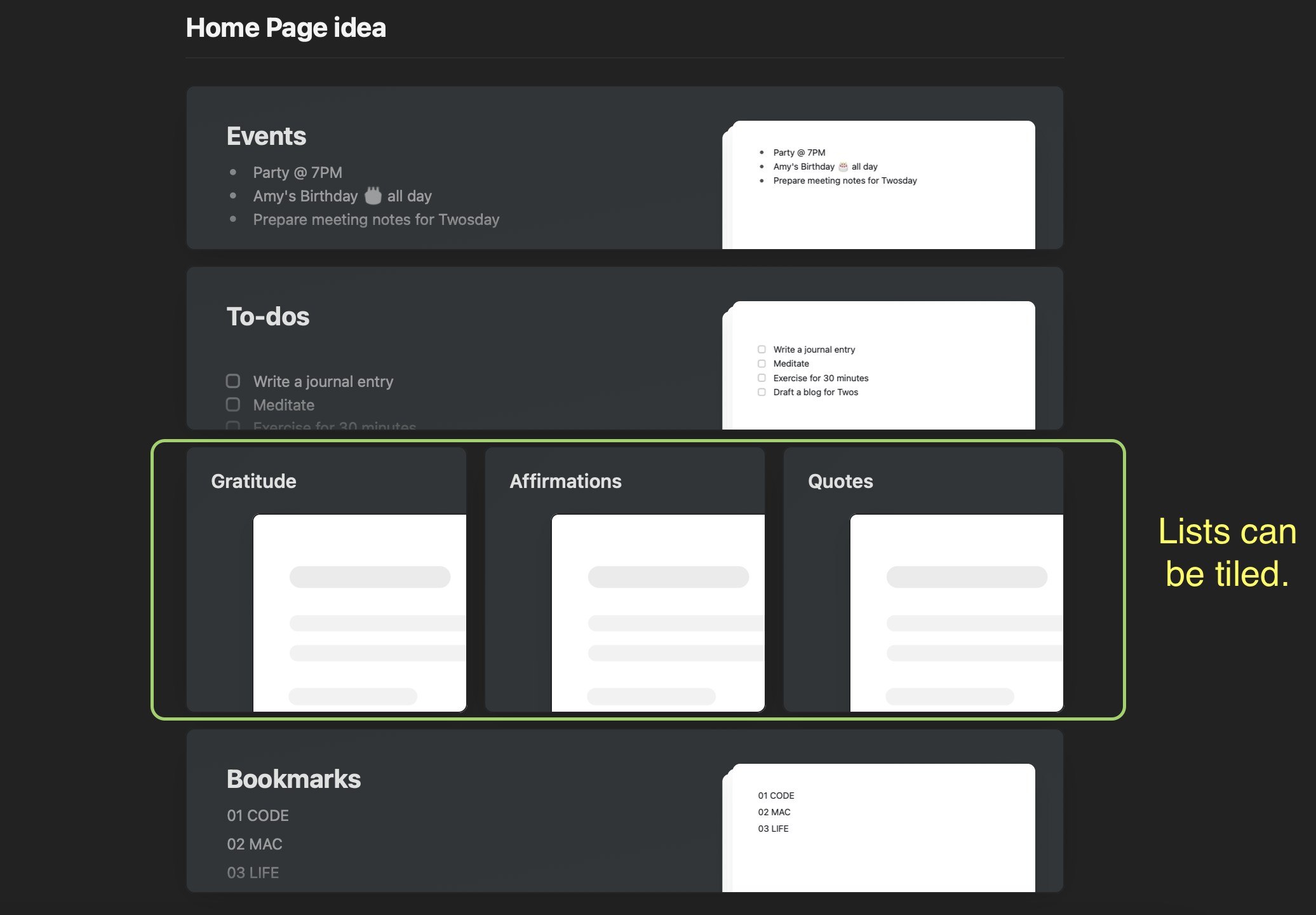
I have three linear lists on my Home page — gratitude, affirmations, and quotes. It would be great to see them tiled next to each other like they can in the Craft Docs app. It would save me having to scroll down to access the lists out of view. I’m not sure how that would look on the mobile screen. Maybe three smaller squares? In addition, it would have the option to hide the preview of the list’s content. The minimal look would be aesthetically pleasing.
Thank you, Twos✌️
I feel so lucky to have found Twos when I needed it. I can’t thank Parker, Joe, and others who worked on Twos, especially Nino’s design and feature ideas.
If you are interested in Twos, use my referral link to sign up — https://www.TwosApp.com?code=codemaclife
As always, thank you for reading my post.
Mark @ CodeMacLife
Follow me on Micro.Blog
Follow me on Mastodon (AllThingsTech)
Follow me on Medium
Follow me on X / Twitter
Follow me on Tumblr
Email me at connect@codemaclife.net
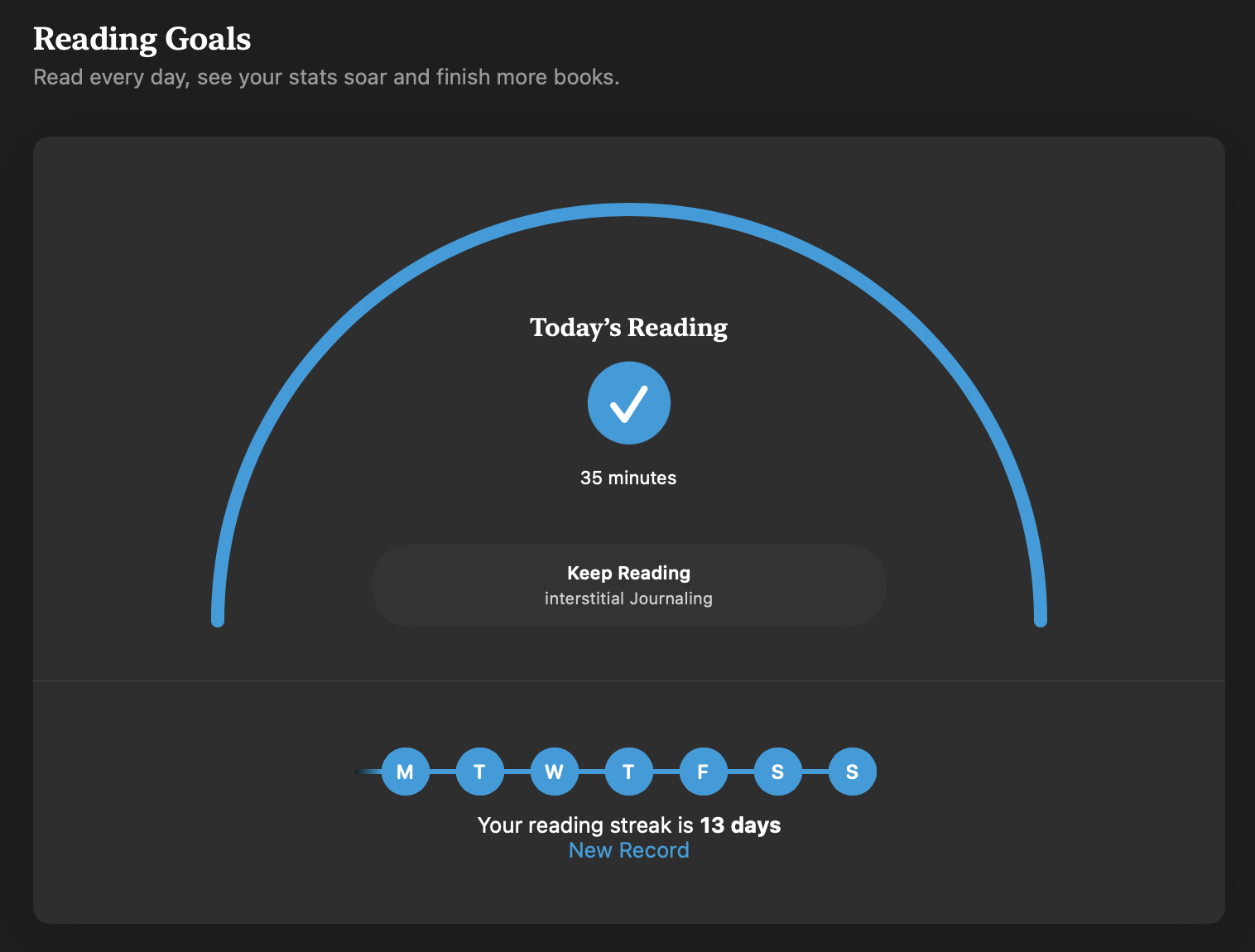
I set myself a target of reading for 30 minutes per day and a target of six books this year within the Apple Books app.
Apple Books is a great place to discover new books and audiobooks. I have also found some of the books I wanted to be cheaper than other eBook sellers.
#AppleBooks 📙
14.01.2024 SUN — Planning for the week ahead
The weekly review works for me.
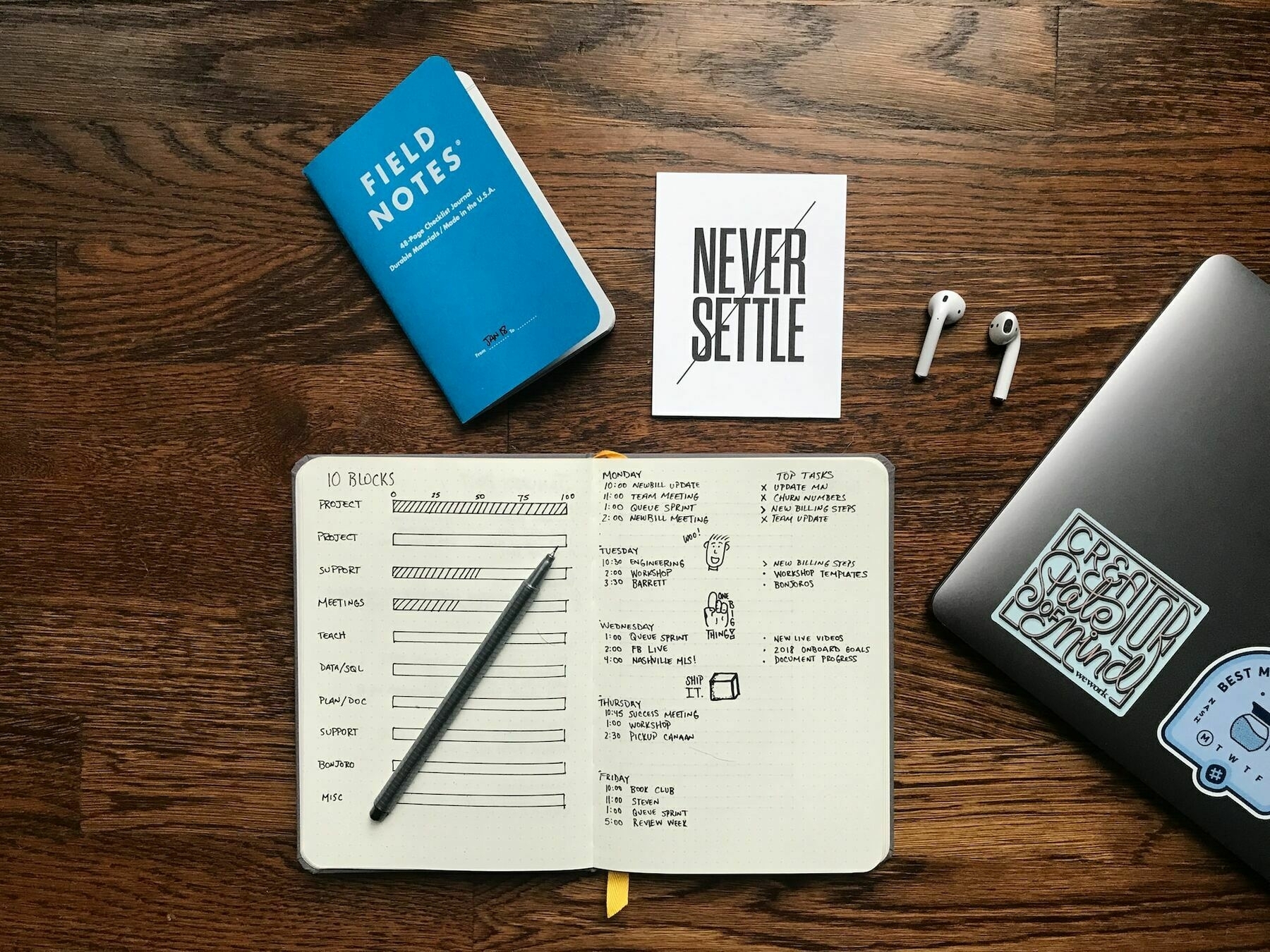
One of the best things I have introduced to my routine schedule in the weekly review. It is a time when I can reflect on the week gone and plan for the week ahead.
After listening to a podcast by Carl Pullein, I thought I would give the approach a try. His Golden 10 approach helped me understand that it is better to go into each day with an idea of what is in store for you. I signed up for Carl’s COD system course for free and delved into the contents immediately.
Sign up for the course by clicking this link — The Beginners Guide To Creating Your Own C>O>D System.
COD (Collect > Organise > Do) made me realise that it is better to start the next day with everything completed from the day before. If I did not get everything completed, I was able to organise it for another time in the week. Some tasks don’t necessarily need completing the next day.
The weekly review is a brilliant opportunity to review what has worked and what hasn’t worked. There were times when I identified I was taking too much on or avoided my responsibilities altogether. Reviewing allows you to take ownership of what has happened, planning for the future with past wins and failures in mind.
Just like Carl mentions, going into the next day with the knowledge of what is happening helped me relax more and sleep better. I was less anxious because I could take ownership of what was happening.
The weekly review is similar. In this case, you are planning for the entire week. Of course, unexpected things might crop up, but at least you have an idea of where you can fit it in as well as what you can move around.
I haven’t gone into the course too much because I think you should try it for yourself.
If you are interested in how I plan my week, I could write a blog a length for you.
Thanks for reading my post. 📝
This is part of my MicroJournal collection.
Mark @ CodeMacLife
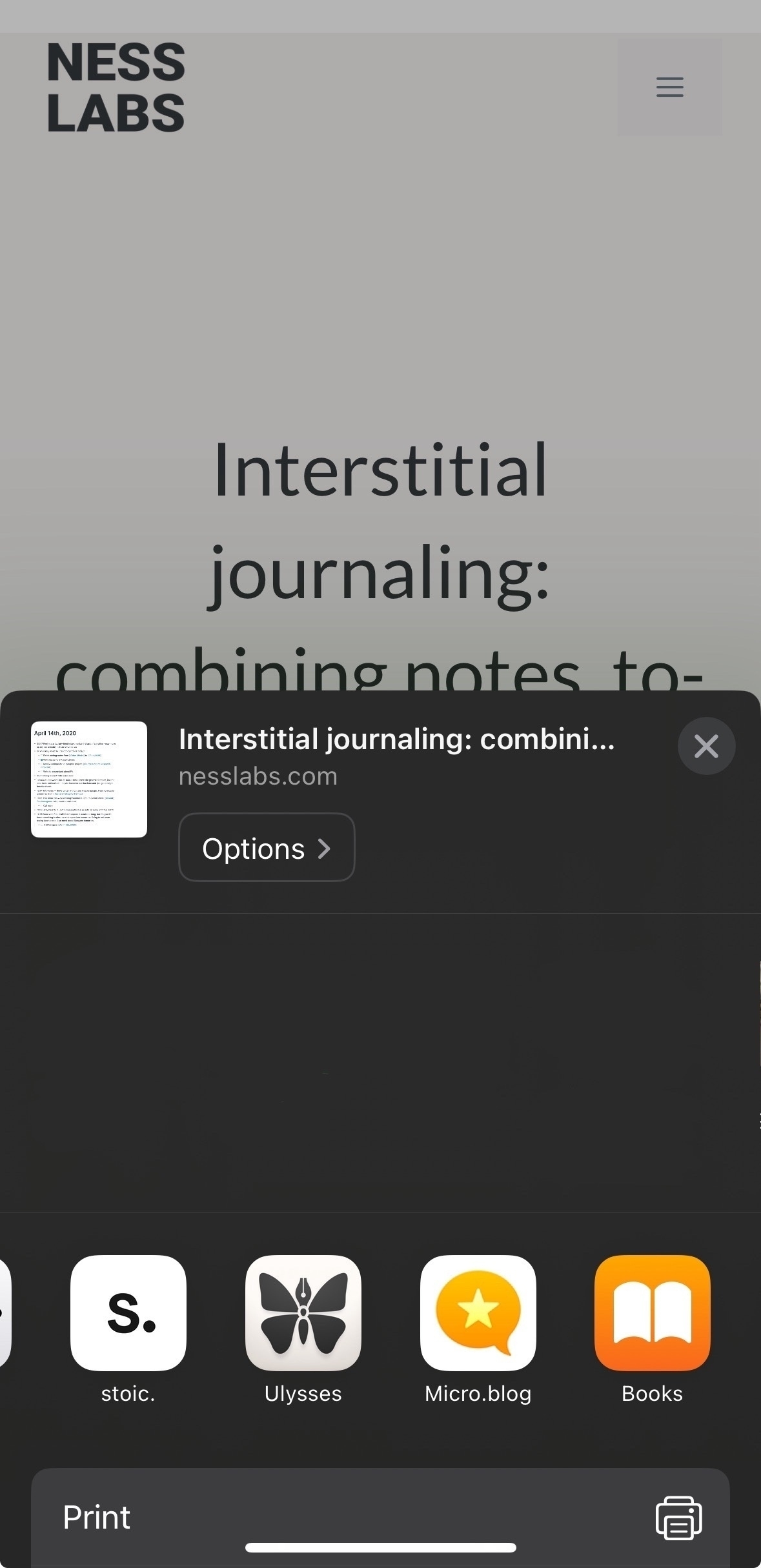
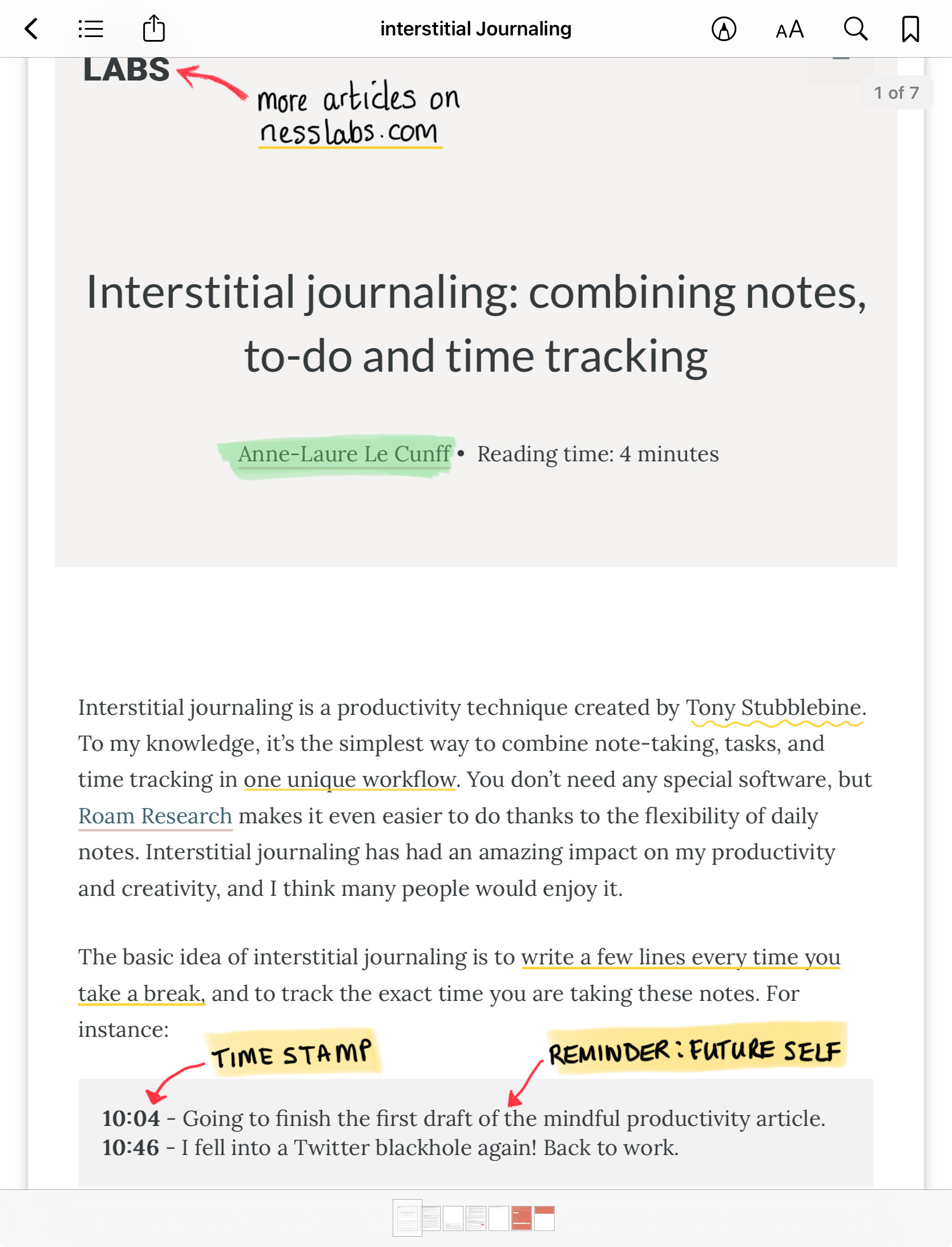
Did you know you can import an article into Apple Books? I have been using it to read articles later and annotate. I am able to create collections for different topics.
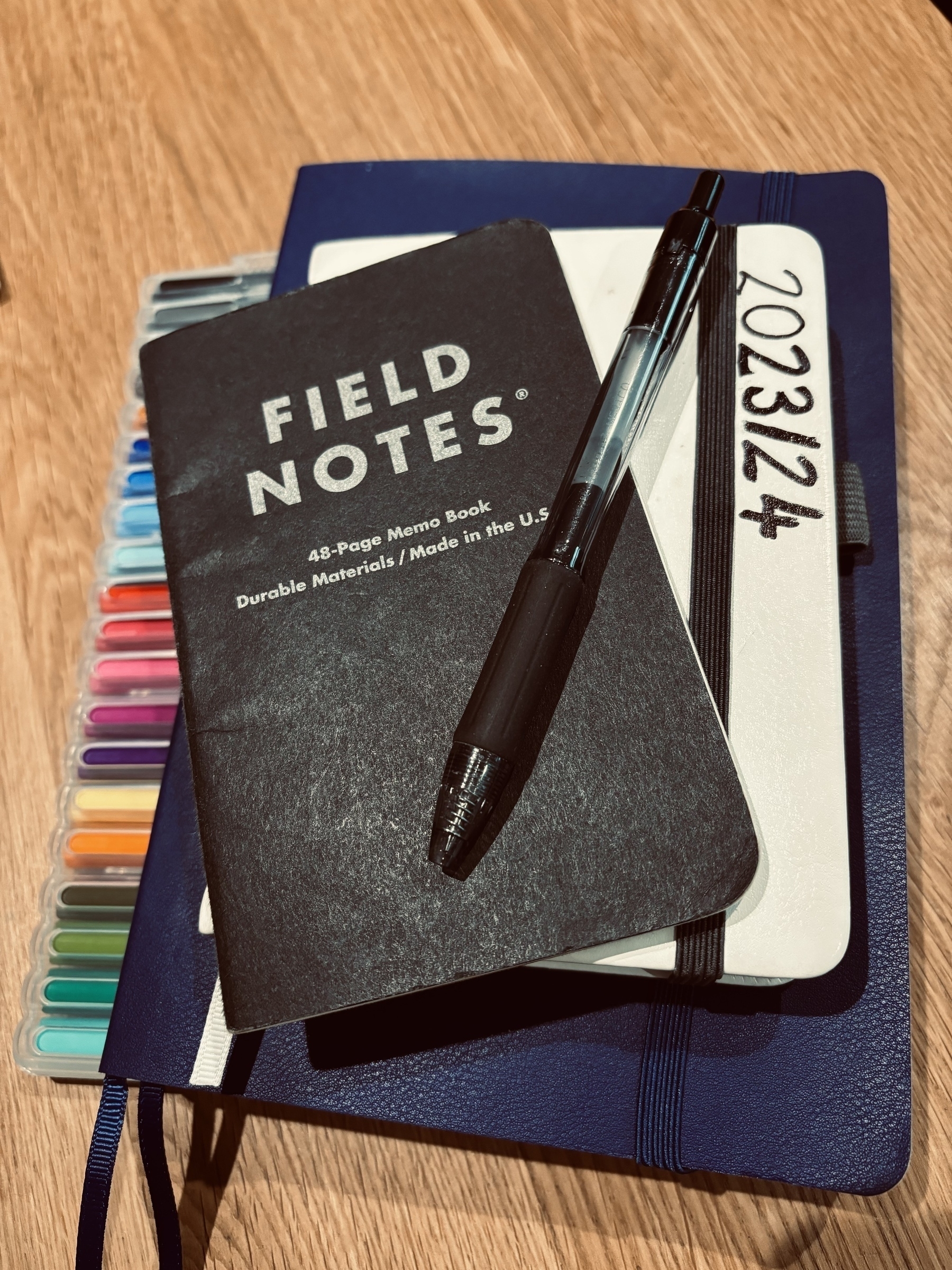
The benefit of separating my bullet journal into a personal and work notebook means I can focus on one or the other without distraction. Occasionally, I will have an anchor reference between each notebook for anything important I need to be aware of (known as threading).
13.01.2025 SAT — Plenty of writing
Today, I went along with the usual routine I have every Saturday — running my son to all of these different clubs.
I thought it would be a perfect opportunity to start writing about using the Twos app for one year. I managed to write 2222 words within an hour. Pretty impressive by my standards. This includes proofreading and editing.
Creating the images for the blog post took longer than writing the post. I used to use Canva for my image creation. Unfortunately, that subscription had to go because I was unwilling to pay £10 per month.
Anyway, I booted up Pixelmator Pro and started creating the images. Pixelmator Pro has many cool features and tools, especially the ability to remove backgrounds from the images I import.
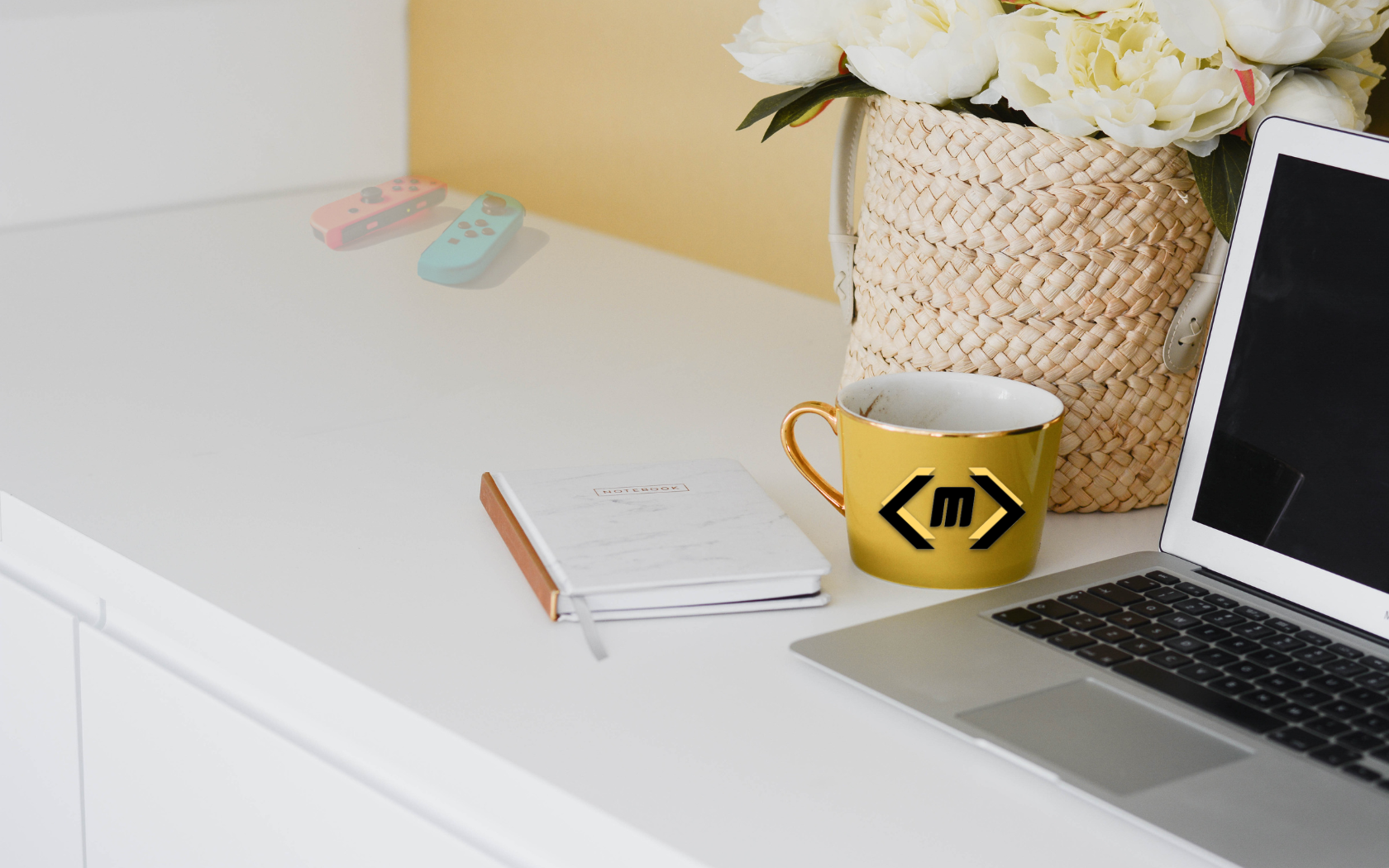
Here’s a sneak preview of the cover image I created for next Tuesday’s blog post. The background was downloaded from Unsplash.
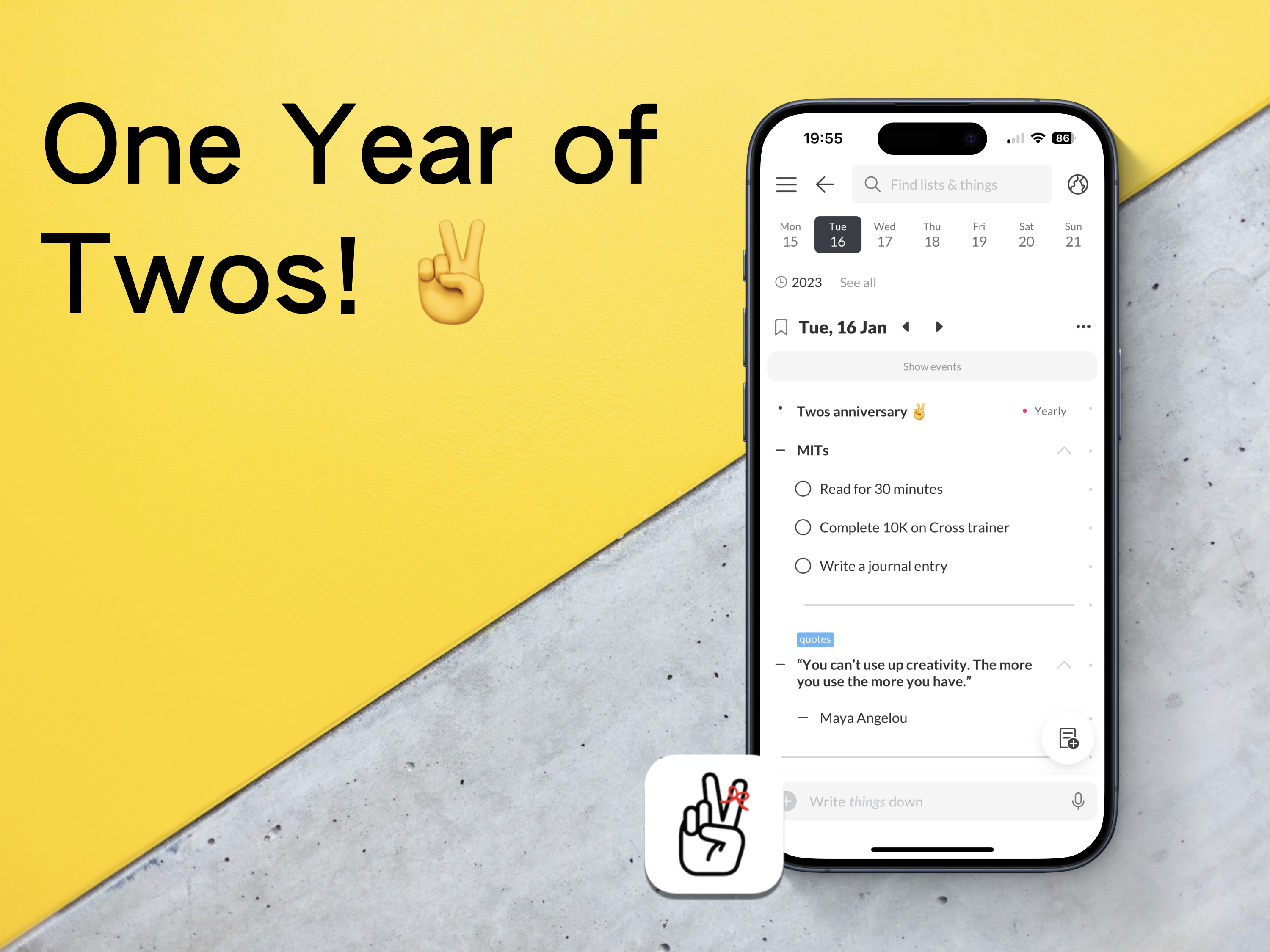
The reading challenge is going strong. I am racking up thirty minutes each day. In fact, I look forward to reading because it gives me a break from everything else. The genres I choose are limited, so I will make sure I try something different in the year. There is a possibility of selecting a horror book because I have only read two in my life.
I’m falling behind on publishing a Weekly Review for Monday. There is a chance I will be able to compile something by Monday. Sunday afternoon could be a window to create something in preparation for the start of the week.
Thanks for reading my post. 📝
This is part of my MicroJournal collection.
Mark @ CodeMacLife
12.01.2024 FRI — A positive week at work
The working week went better than expected
There was no doubt that the week was going to be a successful one, but you never know what could happen. I have to say it was a great week at work. Tiring, busy, and exhausted by the evenings.
It was the first week to test out my new Bullet Journal for work. By eliminating the clutter and keeping my notebook barebones, I was able to focus on what matters. It has helped me keep an eye on what I had on each day. January is all planned out, with February entries trickling in as each day passed by. All good vibes here.
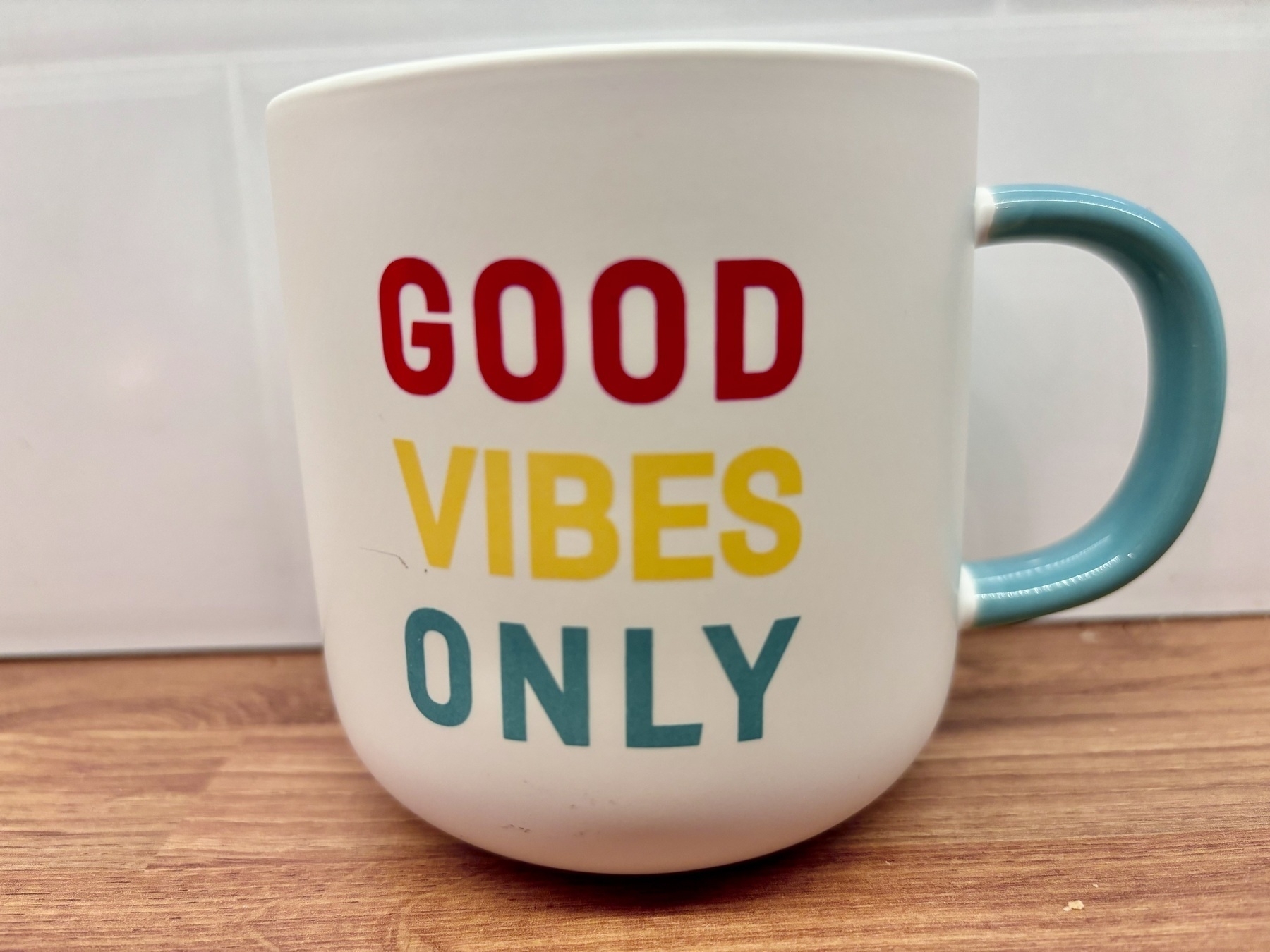
All the tasks I needed to complete this week were checked off. Files, folders, documents were updated as required. I am proud of myself for what I have achieved this week. With all honestly, I don’t remember a time when I have been so organised and motivated to get everything completed.
A brisk walk in the countryside
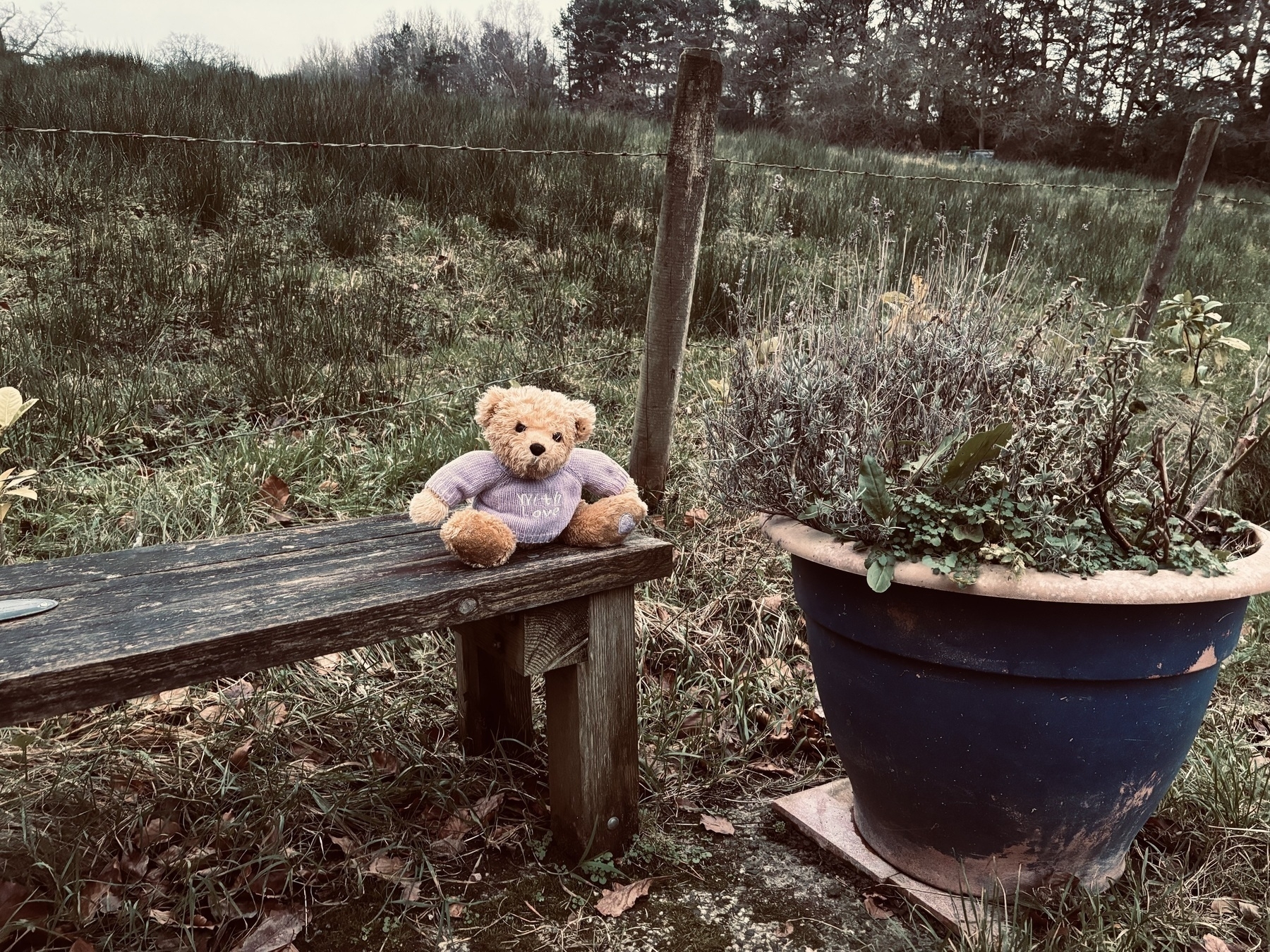
After school, I was able to go on a brisk walk for thirty minutes. Seriously, why have I not thought about doing this sooner? I stumbled across an abandoned bear on the local bench during my walk. It looked perfectly placed, like it was intentionally left there for local walkers to admire.
Stoic app update
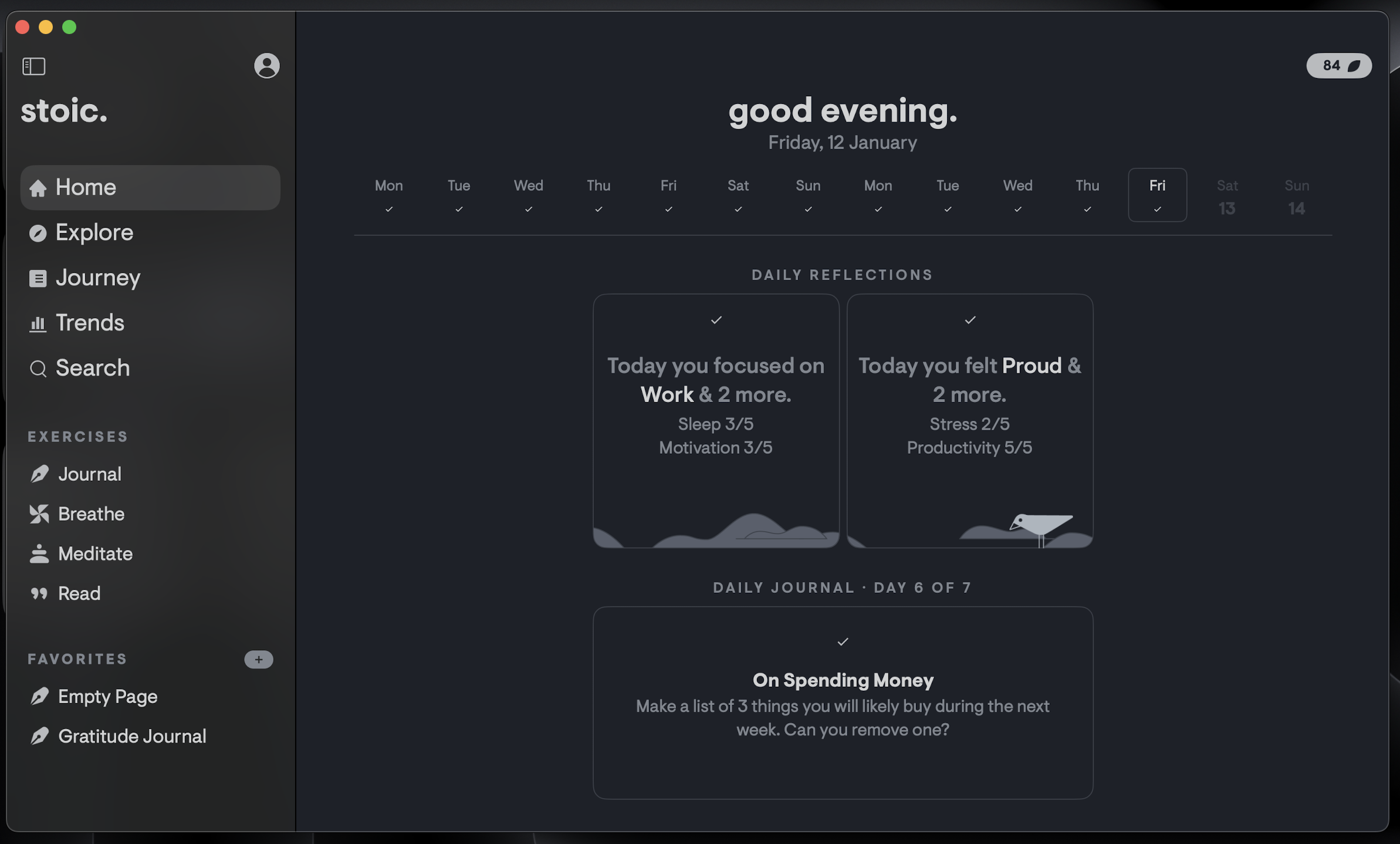
I am still loving my experience with the Stoic app. I have successfully recorded eighty-four consecutive days of use. Furthermore, I am six days off achieving the one hundred day badge. That will bring my total badges to twenty-one. Earning rewards through using an app is usually not my thing, but on this occasion, I see these badges as milestones for my commitment to writing. There are roughly 19.3K words recorded in Stoic.
Thanks for reading my post. 📝
This is part of my MicroJournal collection.
Mark @ CodeMacLife
11.01.2024 — BuJo for work
I decided to separate my personal bullet journal for work because I wanted to make sure my personal stuff to stay, well, personal and private.
The start of 2024 I set up a new Bullet Journal (BuJo) for work with all the key information.
- Key dates, including holidays.
- Training days.
- Additional CPD events.
- Meetings.
- Weekly goals/task.
- Collections (projects).
The process is tedious at first. I have found, through experience, to remove the parts of the BuJo system I don’t need in work. This allows me to take sure I only choose what is essential and eliminate the clutter.
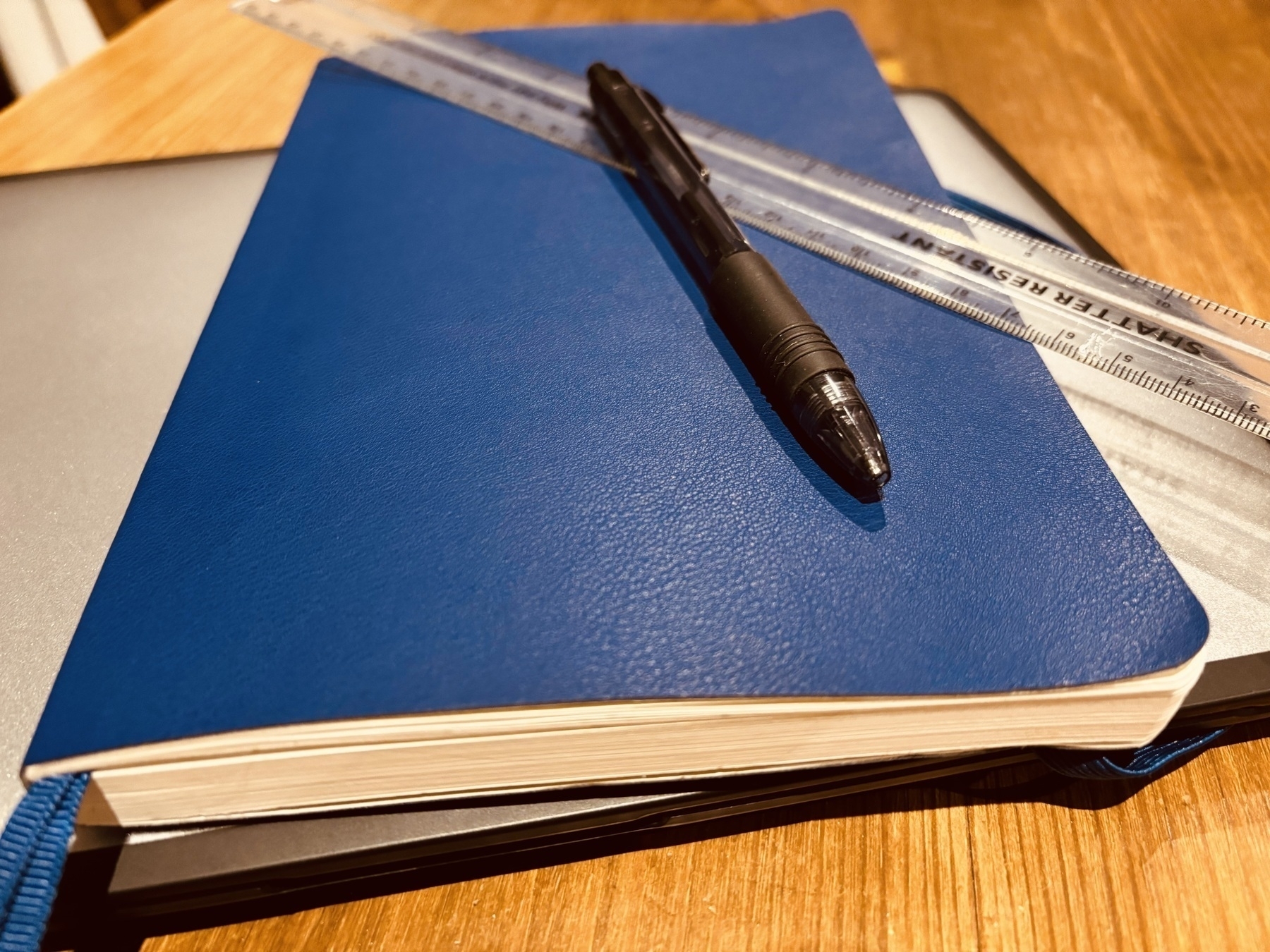
I was going to spend above £30 for a work BuJo. Luckily, I found the local Tesco (UK shop) had some dotted notebooks with 100gsm paper for £10. I am more than happy with what I have within.
It’s the first time I have seen a retail company like Tesco supply this type of notebook. It is clearly geared towards the BuJo community. Furthermore, it even has dedicated index pages and a wallet at the back to support loose pieces of paper.
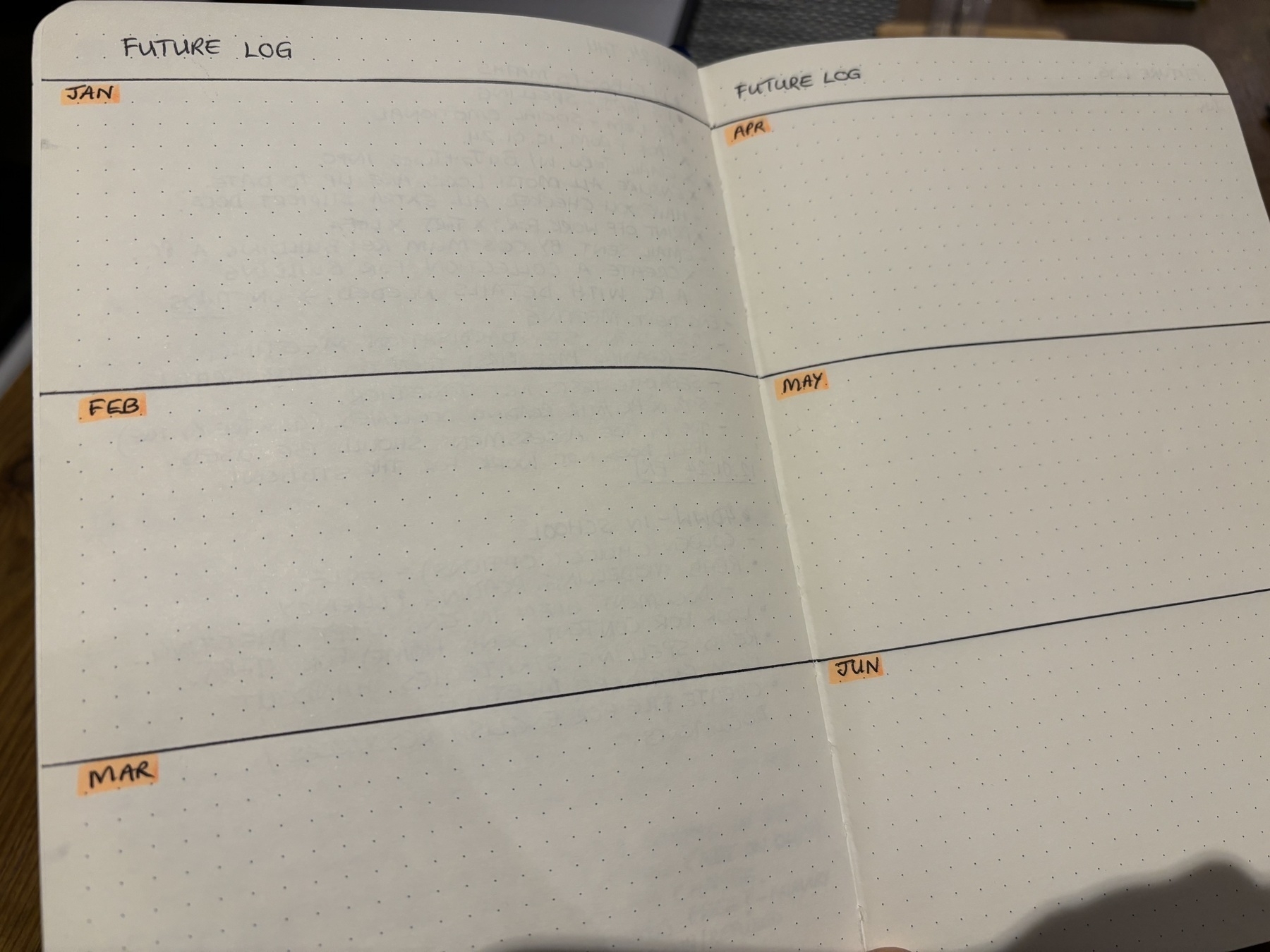
Most of my bullet journal is set up. I made sure I spent time filling in the future log with all the key dates and upcoming department meetings.
My first collection (project) was created, too. I plan to make a significant update to the school’s website because I want the student area to be full of useful information and resources.
I always refer to the following video by Ryder Carroll when setting up my BuJo. It is a quick tutorial for getting the basics right.
I also record information into the Twos app because I like to have a digital companion. Twos is the closest thing I have found to the bullet journal in digital form. I use lists for my collections, and I take advantage of Siri to quickly capture a note or task. I find Twos is better for referencing and bookmarking websites I find. I would rather not spend my time writing out URLs into my work BuJo.
If you are interested in trying out Twos for your digital Bullet Journal, use my referral link to get 200 additional coins towards some Pro features such as AI, tags, templates, alerts, highlighting, hyperlinks, custom themes, focus timer, and much more.
Referral link: https://www.TwosApp.com?code=codemaclife
Thanks for reading my post. 📝
This is part of my MicroJournal collection.
Mark @ CodeMacLife
10.01.2024 — Hiding behind a logo
Social media identity
Working in education has a few drawbacks. One of them is the paranoia of being online when parents, carers, or students could find your account. Everything posted could be used against you.
I don’t want that to happen to me, but it is a reality I must acknowledge.
I wouldn’t post anything that would cause offence (not knowingly) because it is not in my nature to be like that. However, schools have strict policies in place to safeguard their students and staff members.
This week, our school leadership emphasised that our social media profiles should be completely locked down and set the private. It is in the policy, after all. This is difficult for me, as I want to build up a presence online and connect with others with similar interests.
My personal Facebook account is locked, and my name has changed on the site. I have set my Twitter account to private. The next phase is to find behind the logo I created. I feel people are more likely to follow someone with a face because the connection feels more genuine than following someone with a logo. I could be wrong.
I’m not going to set my Mastodon account private just yet. Not only that, but I doubt the students even know what Mastodon is, let alone how to navigate through the instances. Again, I will get the profile picture to my logo.
Longest streak in Apple Books
Today I broke my longest reading streak in Apple Books. It is nothing spectacular. I haven’t used Apple Books as a serious option for reading in the past. I want to read throughout the year to see if I can claim 365 days of reading on the app. I started on 2nd January, so I can’t claim the whole 366 days this year.
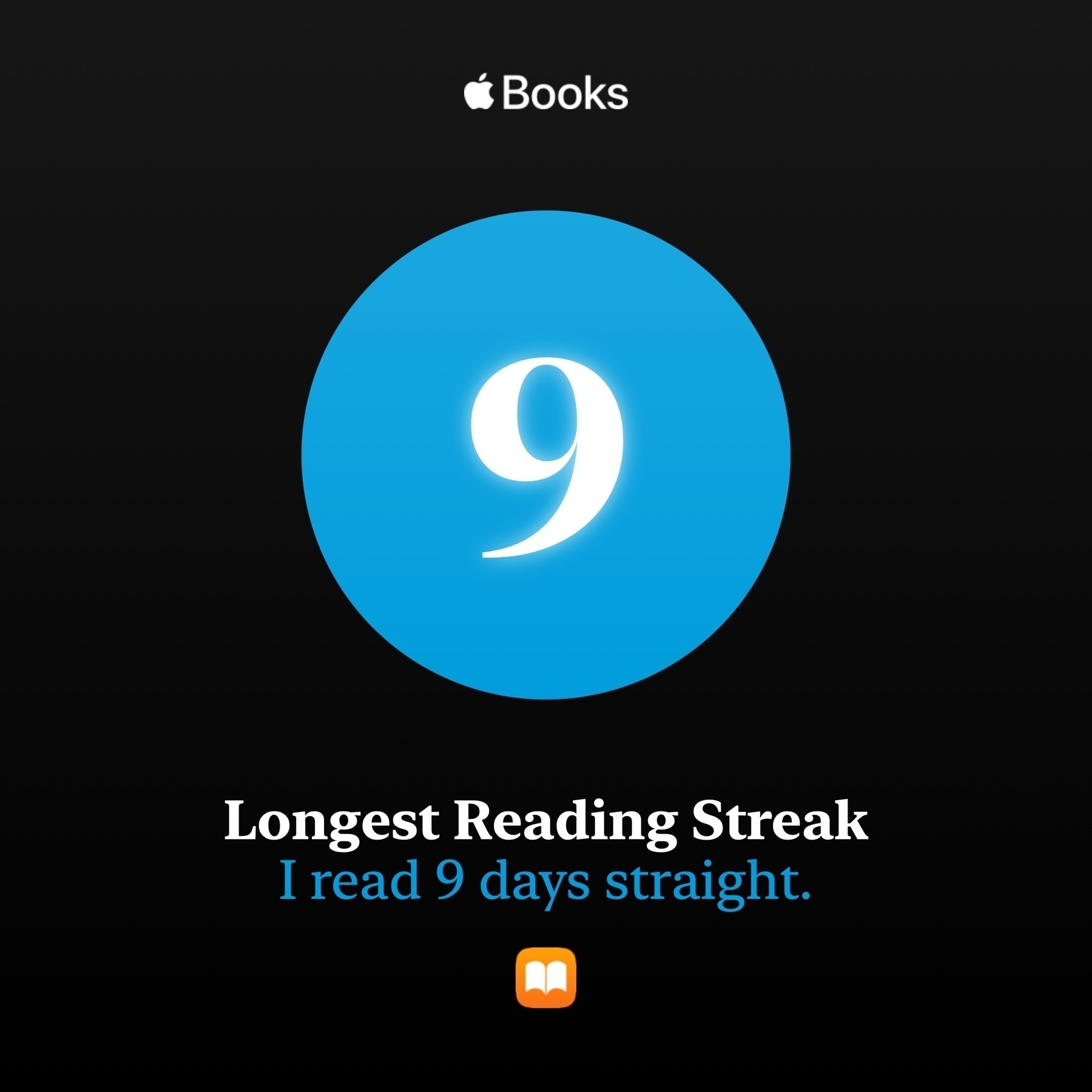
Nine days is my highest streak with Apple Books. I get my reading target for 30 minutes each day. I go past the thirty-minute mark if the book is interesting.
At the end of the year, Apple run a feature that highlights how many books you have read, how many minutes in total, including how many books you read against your book target. I have chosen to go with six books in Apple Books. I believe I am on track to beat that goal.
Thanks for reading my post. 📝
This is part of my MicroJournal collection.
Mark @ CodeMacLife
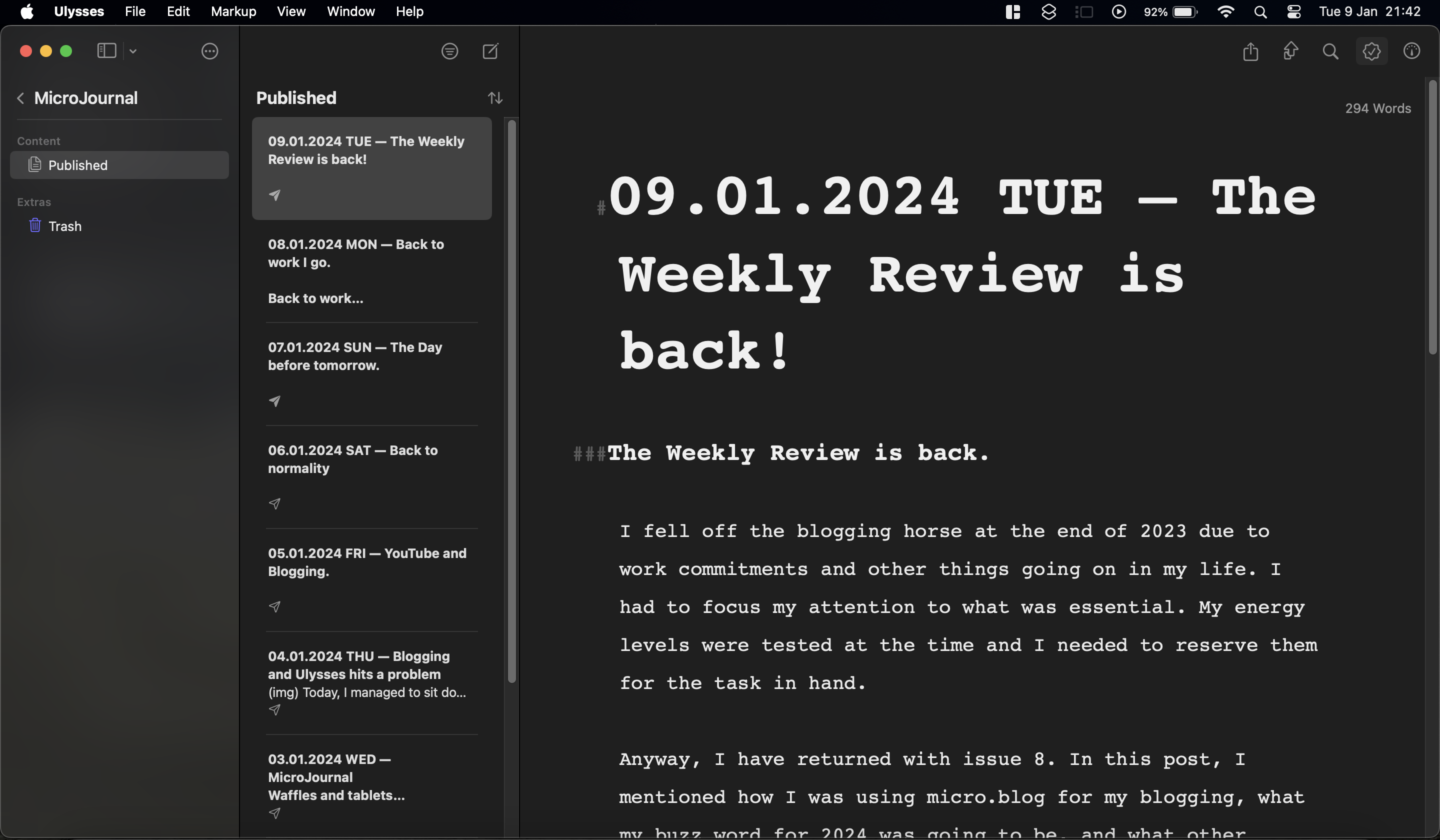
09.01.2024 TUE — The Weekly Review is back!
The Weekly Review is back.
I fell off the blogging horse at the end of 2023 due to work commitments and other things going on in my life. I had to focus my attention to what was essential. My energy levels were tested at the time and I needed to reserve them for the task in hand.
Anyway, I have returned with issue 8. In this post, I mentioned how I was using micro.blog for my blogging, what my buzz word for 2024 was going to be, and what other writing commitments I had undertaken.
Links: CodeMacLife blog | Medium
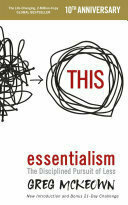
In the book, Essentialism, Gregory talks about going BIG on the essentials. It asks the reader to do less but better. Writing is what I have chosen to ‘GO BIG’ on this year. This doesn’t mean I will be posting lengthy articles each day. My plan is to strengthen my writing, induct myself into online courses and use a thesaurus for once.
Ulysses app is working with Medium!
Yay. I was starting to get worried but uploading to Medium was a no-go for a few weeks. I subscribed to Ulysses for the ease of uploading to Medium and micro.blog (and WordPress of subscribing). Well, you will be glad to know posting to Medium via Ulysses is now working.
Trivial, I know, but the process of manually coping my content into Medium’s web browser interface took more time than I was willing to commit to, especially when I have to post in several places.
Luckily, micro.blog allows me to post on their platform, and it simultaneously posts on Tumblr and Mastodon. Very handy indeed.
Thanks for reading my post. 📝
This is part of my MicroJournal collection.
Mark @ CodeMacLife
The Weekly Review — Issue 8
Hello and Happy New Year. This is my eighth weekly review, and it has been long overdue. I apologise for the lengthy absence. The weeks leading up to the festive holidays are always the busiest in a school. I focused my energy on completing what I needed to do with my work and got enough rest during my two-week break.
What have been up to?
My new website on Micro.Blog
I have migrated my website to micro.blog and I love it. It is minimalist in design and features. Just perfect for what I need. At present, I have gone for the $5 per month entry to the service, but I can see myself extending to the premium service, which offers a newsletter service, posting short videos, and podcasting.
Another cool feature is the ability to bookmark articles and highlight the text, just like I can in the Kindle app or Apple Books. I want to give it a few months of using micro.blog before deciding on any further adjustments.
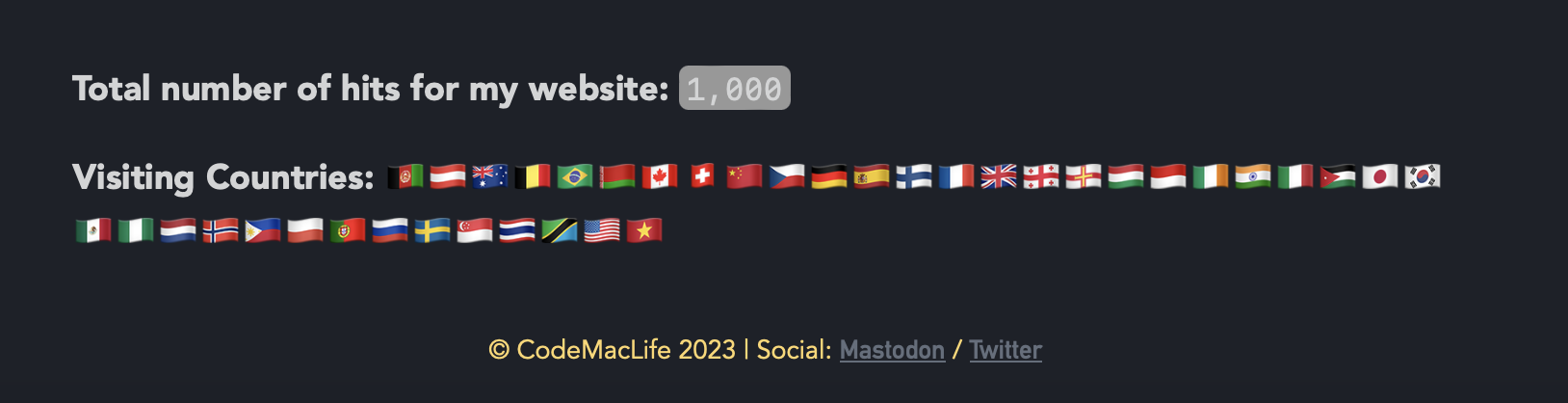
My site is already gaining traction. There’s at least a thousand visits to my site as of the time of writing this post. I like how Tinylytics records what countries are visiting my site. The selection is broader than I originally imagined.
If you click on the about page, it will have most of the important links on that page. Micro.blog also allows you to record what books you are reading, what you have read as well as what you want to read. The books I have can be fund linked on my page called The Bookmarks. This area also lists the apps and services I am currently using. Please check it out.
My buzz word for 2024 and social media commitments
You could call it a New Year’s resolution. Instead, I call it a buzz word. A word I want to focus my attention on. In 2024, I want my buzz word to be commitment.
What am I committing myself to?
I would like to ensure I post one Weekly Review each week. It wouldn’t be a weekly review if I didn’t post weekly, after all. This year, my post will come out on a Monday because it will give me time to proofread and edit over the weekend. I was finding the deadline of Friday difficult to achieve each week.
I am committed to posting to Twitter (X), Mastodon, Twos and Tumblr each day. (Click on the links to go to my profile on these sites.)
I want to at least post twenty-five quality posts on Medium. I achieved over sixty posts on Medium last year. Only twelve of them got any real viewership. Those were the post I had spent the most time writing. I want to reach that standard in 2024.
Other writing news
I set myself a challenge of completing a #100DaystoOffload where I journal for 100 days straight. To be honest, I plan to write and post something every day on my personal blog. I don’t think it will be anything Medium worthy, but enough to share with the public.
I created a new category on my website called Micro Journal. If you click on this link, you will be able to follow what I post each day (if you want to).
Posts I have written this week
Using Apple Reminders to organise my blog posts
Other posts can be viewed on my website - https://codemaclife.com. These are similar to tweets or toots. All of my posts on Medium can be viewed on my website.
Twos on Two
Lessons from All in Startup book by CFitter
I have seen many clever ideas fail to take off because they do click with customers. I’m paraphrasing Michael Bublé here, but anyway, here goes - “If you your music doesn’t emotionally connect with your audience, you are going to be alone singing in your bathroom mirror”. The point I’m trying to make is there is no point creating something that no-one will buy into. Even now, I think Apple’s Vision Pro will be a flop. It looks impressive, but who actually needs it? The same could be said about crypto.
Big Magic (Elizabeth Gilbert) by Parker
I’ve had this book on my radar for some time now. Parker was kind enough to share his notes about Elizabeth’s unique perspective on creativity. I haven’t read the book yet. However, I am aware EG covers inspiration for creativity. I am curious to see what is meant by ‘strange jewels’ that Elizabeth talks about.
Saved articles
- The book by Gregory McKeown called Essentialism.
- 6 Key Takeaways From Essentialism: The Disciplined Pursuit of Less by Greg McKeown (Minimalist Focus)
- How to Be More Productive (Very Well Mind)
- How to be more productive: 10 productivity tips (Future Learn)
Bookmarked Media
As always, thank you for taking the time to read my post.
Mark @ CodeMacLife
Follow me on Micro.Blog
Follow me on Mastodon (AllThingsTech)
Follow me on Medium
Follow me on X / Twitter
Follow me on Tumblr
Email me at connect@codemaclife.net
08.01.2024 MON — Back to work I go.
Back to work
As expected, I did not get the sleep I wanted last night. I felt it this morning as I woke up lightheaded. Work, itself, went better than I expected it. The students were not in, so we had a busy timetable of training courses throughout the day.
Tomorrow is when the real work starts. I’m excited about my computing lesson because I am teaching the fundamentals of HTML and CSS. I will refresh my knowledge of both in the morning before the lesson starts.
A new approach to my iPhone Home Screen
Two things to report: I rearranged my Home Screen in a way I have never done so in the past, and two, I installed the Mail app.
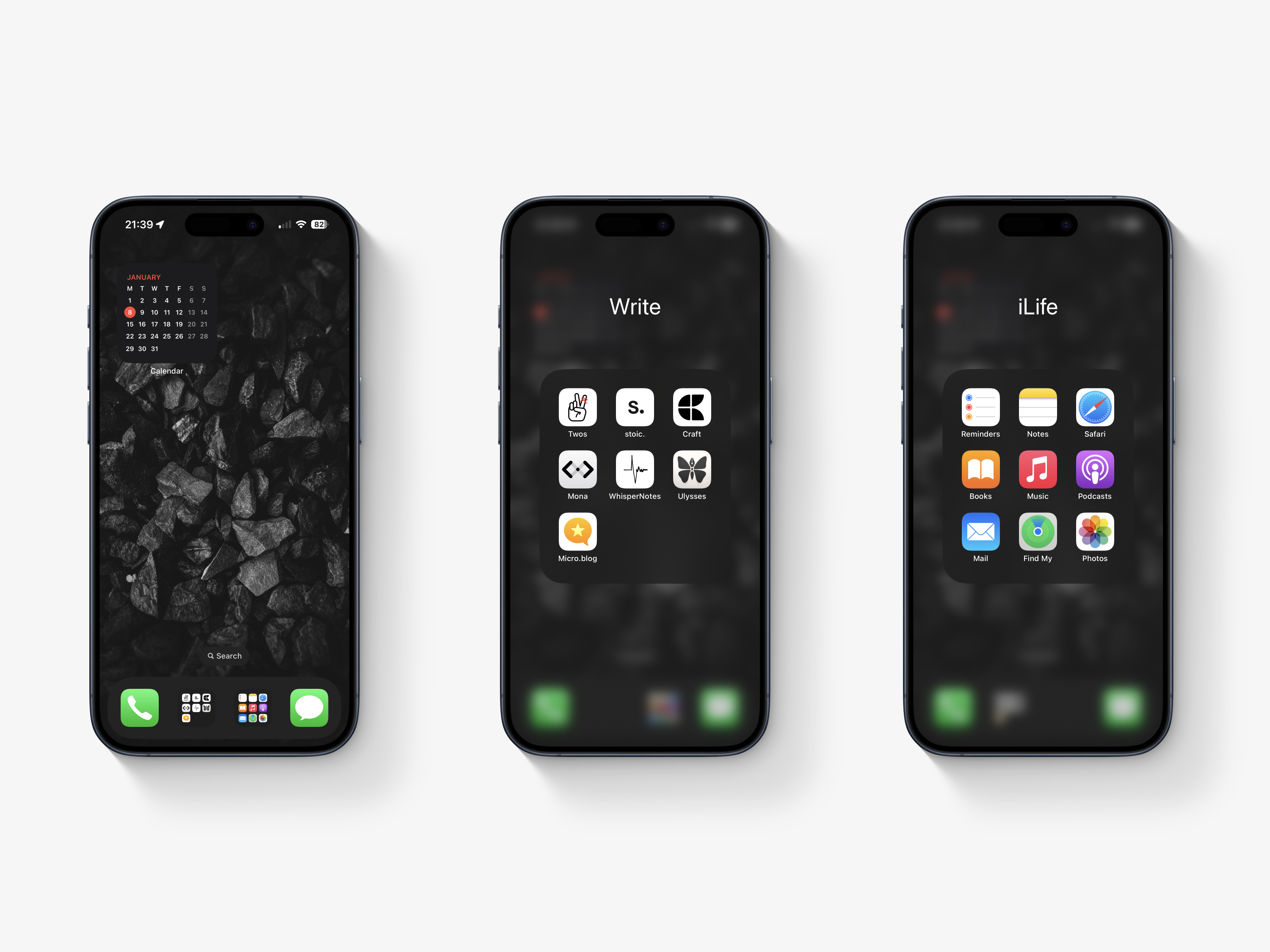
I created two new folders in the dock. The first folder, called Write, has everything I use to write my blogs, journal, or record for work. The second folder, called iLife, has the most frequent Apple apps I use regularly.
I decided to install Apple Mail on my phone. I haven’t used an email client on my phone for years. Not only that, but I don’t want to get caught up with being communicated with via email. The reason behind it is my son’s bus service informs me when he has got on the bus and off it. I do not have work email on my phone. For a start, I am not allowed due to work policy. I also don’t want my work responsibilities creeping into my personal life.
I have no idea if these changes will work, but I want to give it a try.
Thanks for reading my post. 📝
This is part of my MicroJournal collection.
Mark @ CodeMacLife
07.01.2024 SUN — The Day before tomorrow.
The holiday is truly over.
I spent three hours preparing work-related things for the next seven weeks. There was plenty of to do. It all got done, and I feel much better for knowing what I have in store for me going back to work. Still, I have those pre-work jitters where I know I won’t have undisturbed sleep. It happens every time I go back.
I am excited to meet with my colleagues tomorrow morning. That is one thing I appreciate about my workplace — I like my colleagues, and we work well together. We are more like a family that has each other’s backs.
Clothes are ironed, lunches are packed, and my laptop is fully charged and ready to go!
Donating blood

I started donating blood in 2018 (inconsistently), but then the pandemic happened. I went back to donating blood again, and I donated my tenth today. Even better, my donation was made at the stadium of the football (soccer) team I support — Stockport County.
I would say the donation only took twenty-five minutes. I’m not saying I do it for the biscuits; however, there was a great selection of biscuits, crisps, and drinks after the donation. I went for the classic KitKat, followed by a childhood favourite — the chocolate orange Club.
Reading progress
I am 25% through my first book of the year, Essentialism, by Gregory McKeown. I am enjoying every moment of this book. It has made me think about what actually matters in my life and what is unnecessary clutter. I set a target of five books, but at this rate, I will smash my reading target for 2024.
Thanks for reading my post. 📝
This is part of my MicroJournal collection.
Mark @ CodeMacLife
Time to donate blood again. This will be my tenth time and it is at the stadium of the football (soccer) club I support…Stockport County!
A real win-win situation.

06.01.2024 SAT — Back to normality
The holidays are over.
It is that time when the holiday period is over. I go back to work on Monday. I’ve thoroughly enjoyed my two-week break and the time with my family.
Back to normality. I spent today with the usual dad duties of taking my son to his basketball game in the morning. It was an earlier one, too. The game started at 08:30, so I had to make sure I set off at 07:30. I was not ready to be woken up by my alarm. I had the luxury of not having my alarm switched on for two weeks. Oh well. At least my son’s team won their first game of 2024.
The back to work jitters kicked in today. I love work, but I could do with another week off to get over all the festivities I attended.
Smart Lists in Apple Reminders
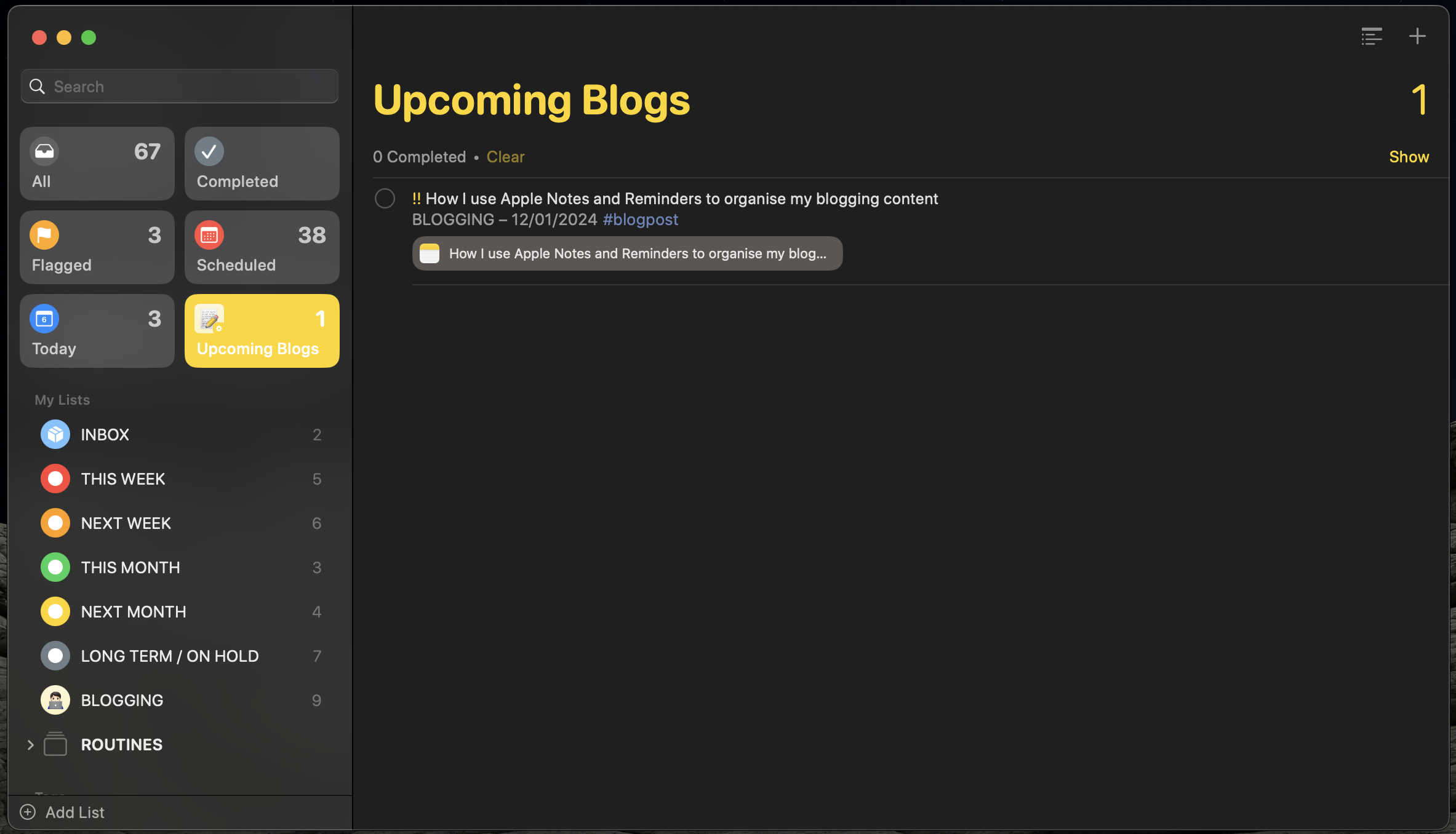
This afternoon, I had my weekly review, where I go through all my tasks and responsibilities for the upcoming week. I have managed to get many tasks ticked off in the past two weeks.
After watching a video on YouTube, I would give smart lists a try. I created three smart lists. One of them shows me what tasks I have coming up in the next seven days for a tag called blogposts. I have now pinned the smart list to the side panel, where I can keep an eye on the number of tasks I have to do for my blogging.
I want to utilise Apple Reminders as much as possible without overcomplicating it. Here is the YouTube video I watched by Proper Honest Tech:
Thanks for reading my post. 📝
This is part of my MicroJournal collection.
Mark @ CodeMacLife
05.01.2024 FRI — YouTube and Blogging.
I made a YouTube video.
I woke up early this morning because I could not sleep properly last night. I usually get myself in this state when I know I will be going back to work soon. It will soon be Monday.
I made a post on Twitter and Mastodon to show how I organise my blog schedule in Apple Reminders before the new year. As I was wide awake at 5:00am, I thought why not, I’ll make a video about the process of linking Apple Notes with Apple Reminders. It is only a short video. The video was posted on Twitter and Mastodon. And then I had an idea. I uploaded it to YouTube.
I reckon I will make a real tutorial of how I use Apple Notes and Reminders together for my content management process. I like both of them and they work offline, which is great for me where I live.
I posted a blog about my experience without gaming for a year.
I was meant to post the blog today but I couldn’t wait. I posted to my blog and Medium. I keep posting to Medium even though my monthly earnings are lucky to reach around $10. Maybe I need to post more of what was earning me larger amounts at the beginning?
Thanks for reading my post. 📝
This is part of my MicroJournal collection.
Mark @ CodeMacLife
I randomly made a YouTube video to show off how I use Apple Notes and Reminders to organise my blogging content.
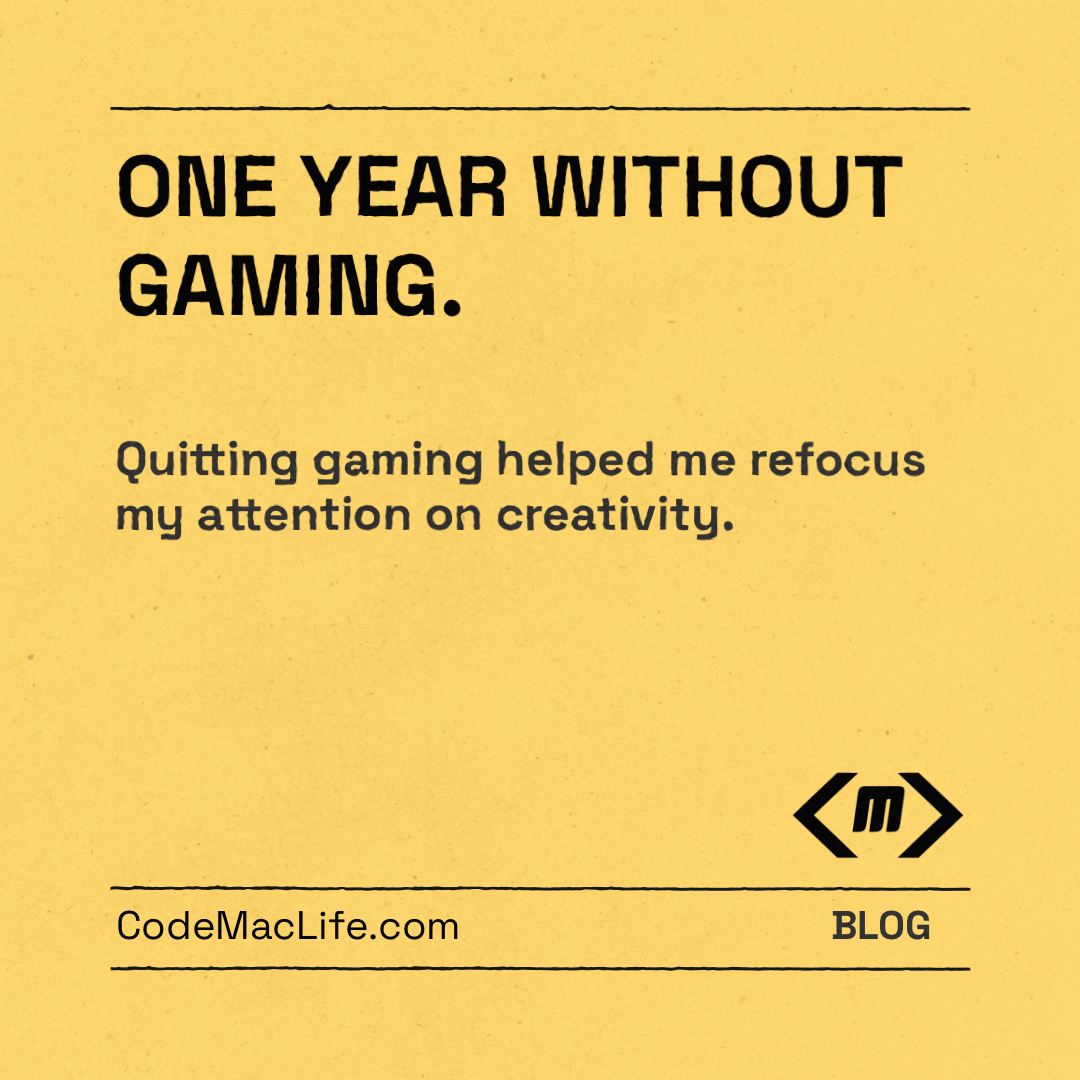
One Year Without Gaming 🎮
Quitting gaming helped me refocus my attention on creativity
At the start of the 2023, I set out on a quest to remove gaming from my life completely. I, personally, had doubts about it being a success because gaming had been a considerable part of my life and identity (sadly). However, I knew I had a problem with working on my priority tasks over gaming. “One more go,” I would tell myself. Or the classic — set a timer for twenty minutes and hit the repeat button enough times to rack up over two hours of gaming.
I knew it wasn’t healthy, but I did anyway. I also continued to get stressed when I was behind on my work due to my lack of available time. Not only that, but I had lots of time, but I chose to waste it on gaming. Similar to the website I referenced in my first post, I thought about a 90-day game detox. However, three months would not be enough for me to complete the goals I wanted to achieve in 2023. I needed much longer than ninety days. Let’s go for the full 365 days!
It’s called procrastination.
It’s called procrastination, and I have a lifetime full of it. I completed plenty of jobs and projects in my day before the challenge, but I don’t enjoy it, even if I would benefit from putting in the effort. Procrastination, to me, is prioritising what I want to bring me joy over everything else. However, procrastination is not always a good action to take if it causes stress further down the road. There have been countless times when I have looked helplessly at the clock while staying up late to complete a piece of work that should have been done earlier in the day.
How quitting gaming helped me refocus my attention on creativity
I believe I have mentioned in another post somewhere I had put off the act of creating a blog for nine years. I went on a pursuit of happiness instead. Gaming, YouTube (of games), and listening to music were my preferred choice to chasing my aspirations. These habits were toxic for me. I don’t believe any of them are bad in moderation.
To say I was bored throughout the year would an understatement. Boredom can be uncomfortable. Boredom can also open up your mind to becoming creative. I had read in several articles, books, and University lecture notes while studying pedagogy.
With no game to turn to, I had one choice — look for something else to do. I spent hours researching how to blog, what platform(s) to use, and what skills would be needed. I signed up for a few courses and developed a style of blogging that I knew I could keep up consistently.
I read a lot more than I have ever in my life. Furthermore, I drew ideas and thoughts from these books that fed into my blogging. There were more hours freely available to read the bookmarked articles I had stored up to through the years. Some articles were not relevant any more, so I deleted them. I even managed to clear the 48 articles I had saved on Medium.
It’s remarkable what you can achieve when you make the time to follow your aspirations! Well. It has been a year since I posted that post (and the seventh month update).
How did I do?
The good news is I kept to my promise and stuck it out for a whole 365 days. I achieved something I knew would be the hardest challenge to date. I love gaming. It is the one thing I remember growing up and hanging out with my friends. We had our other adventures, bike rides, late-night kickabouts, but gaming always crept into the conversation.
The hardest part was breaking a habit I had relied on for a long time. Time blocking and revisiting my note of how I was going to achieve my goals helped me massively. I wrote a personal journal about the experience, reflected daily, and kept a closer eye on the other goals I had on my list. The experience was difficult from the start. There was no rational reason why I should have chosen to game over my goals. Gaming would not help the process of gaining what I truly wanted.
Temptations
Yes. There were many temptations because I’m human, after all. Gaming had been a habit for more years than I would like to acknowledge.
These temptations were directed at specific games, not gaming in general. In fact, it was three games I wanted to play: Minecraft (Java edition) on my MacBook Air; Forza Horizon 4 on my Xbox; and finally, Mario Wonder for the Nintendo Switch. I abstained.
I was exposed to gaming through online posts, friends, and my son gaming at home. I decided to unfollow users on X (formerly known as Twitter) (sorry) and gaming topics because I would rather not read content that was not relevant to me. Bookmarked links in my browser were removed, and I made sure there were no games on any of the devices I used. Apple must have known because the top suggestions on the App Store were games. Nothing was ever creative or productivity related.
My friends were understanding for what I wanted to achieve. Unfortunately, there were evenings when they all FaceTimed, and I was excluded. I was like the green bubble in the group.
My son wanted to show me something he was doing on a game. These requests slowly reduced over the year as he sensed I did not want to be around him while he was gaming. I felt bad. I want to show enthusiasm in what my son finds interesting. He also missed the times we would game together. Now that the challenge is over, I can sit with him and play something like EA FC24 or Minecraft together.
Around the tenth month mark, I started to get twitches. The gaming industry started spewing out new titles. My son made a list of what he wanted for Christmas. He mentioned what his friends were into and why X game was going to be a great hit in 2024.
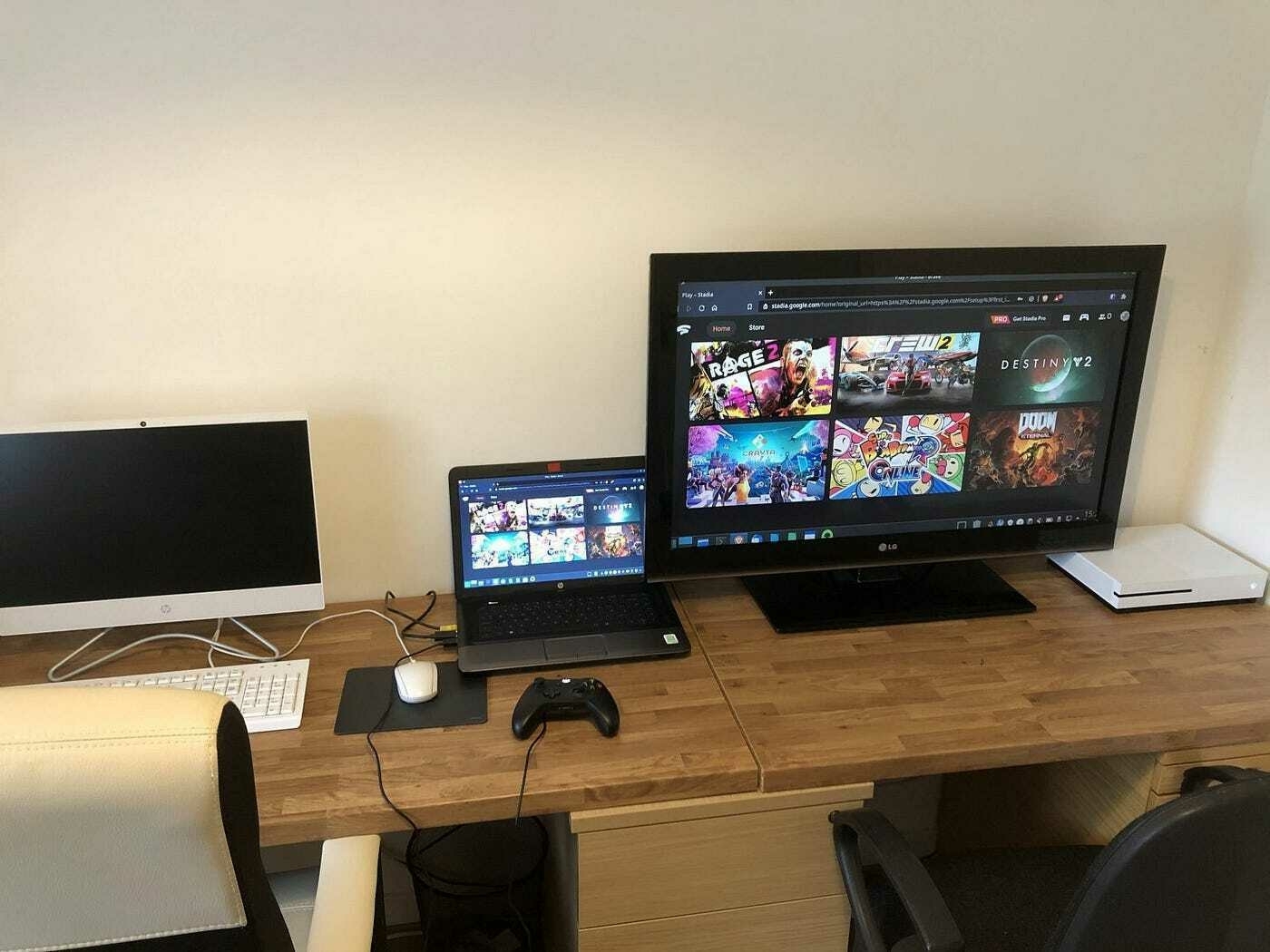
Moving into 2024 — Will I start gaming?
Absolutely! I have been excitedly counting down the days. I won’t, however, be going back to my old ways. The difference being I will be selective and schedule the time in on my calendar. I have chosen a Friday evening for a maximum of one hour. I consider it to be a reward for working hard through the working week.
I will allow myself to have one game, preferably a puzzle game, on my iPhone. I’ve seen a few on Apple Arcade, but I haven’t decided which one I want to pick. Stitch looks like a good one to go with.
On my Mac, I have decided to continue with Minecraft because it is one of my favourite games of all time. Survival, in particular, is the best option for me, as the challenge of playing on hard mode gives me enough endurance.
I bought Super Mario Bros. Wonder for my wife and son. I want to try it out because they rave on about how good the game is. My wife, who is not a gamer by any means, has not put the Nintendo Switch down over the festive holidays. She absolutely loves this game and recommends it highly.
Final thoughts
Obviously, I can’t play all of these games at once. I am contemplating rotating them each week for variety. I’m sure there will be a time when I want to focus on a certain game. Either way, I won’t be going back to my old gaming ways.
Limited, but accessible gaming is the way forward for me. There is no way I would go through with this challenge again. The challenge was a success and I can say I have achieved what I set out to prove I can focus on other things.
My creativity, sleep, and motivation improved during the gaming challenge. I don’t want to let that slip in 2024.
As always, thank you for taking the time to read my post.
Mark @ CodeMacLife
Follow me on Micro.Blog
Follow me on Mastodon (AllThingsTech)
Follow me on Medium
Follow me on X / Twitter
Follow me on Tumblr
Email me at connect@codemaclife.net
04.01.2024 THU — Blogging and Ulysses hits a problem
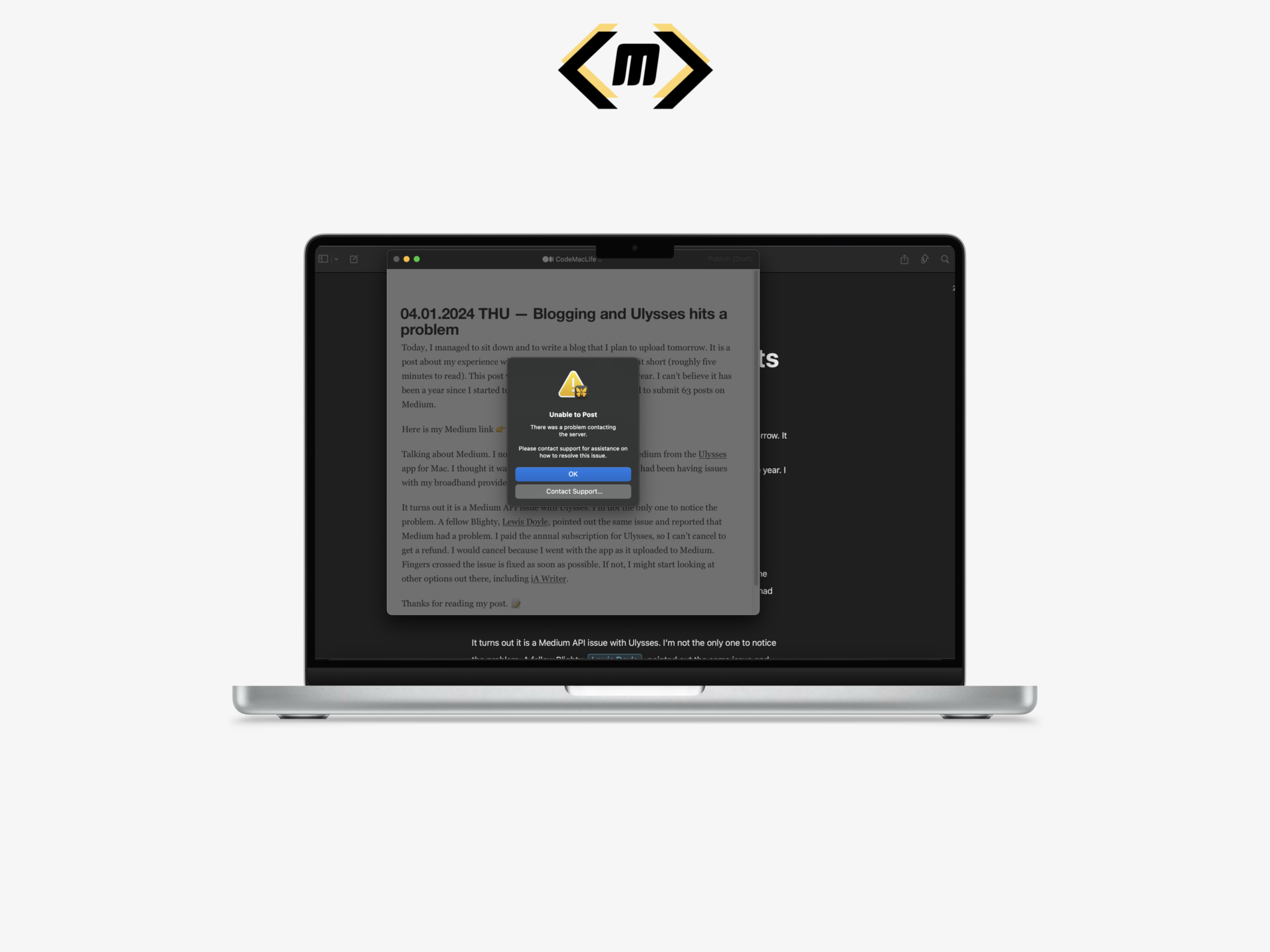
Today, I managed to sit down and to write a blog that I plan to upload tomorrow. It is a post about my experience with not gaming for a year. I’ve kept it short (roughly five minutes to read). This post will be the first lengthy post of the year. I can’t believe it has been a year since I started to blog properly. In 2023, I managed to submit 63 posts on Medium.
Here is my Medium link 👉 @CodeMacLIfe on Medium.
Talking about Medium. I noticed an issue with uploading to Medium from the Ulysses app for Mac. I thought it was my internet connection because I had been having issues with my broadband provider recently.
It turns out it is a Medium API issue with Ulysses. I’m not the only one to notice the problem. A fellow Blighty, Lewis Doyle, pointed out the same issue and reported that Medium had a problem. I paid the annual subscription for Ulysses, so I can’t cancel to get a refund. I would cancel because I went with the app as it uploaded to Medium. Fingers crossed the issue is fixed as soon as possible. If not, I might start looking at other options out there, including iA Writer.
Thanks for reading my post. 📝
This is part of my MicroJournal collection.
Mark @ CodeMacLife
I have switched to VSCodium from MS Visual Studio Code. I have the same experience, but without the telemetry.