
Export Evernote to .enex
Export Evernote to .enex file by right clicking on the Evernote folder and selecting Export to start the process. Once completed, follow the instructions in the following link: [help.getupnote.com/import-ex...](https://help.getupnote.com/import-export-share-and-print/import-content-to-upnote/import-from-evernote)
Interesting app stack.
Interesting app stack. I have used a few of them and enjoy Craft Docs. What other notetaking apps support Textbundle? I’m unsure if I will continue with Craft when my subscription ends in April. I don’t have a Mac, so my content is not available offline on my Windows PC and laptop.
I am so impressed with Todoist AI.
I am so impressed with Todoist AI. I had no idea what to do in preparation of submitting a YouTube video, Todoist AI broke the tasks into smaller chunks to follow.
Craft Docs because it offers offline use only if you don’t want to sync.
Craft Docs because it offers offline use only if you don’t want to sync. It also allows you to create pages within pages within page. I find the organisation of content management easier in Craft than what I could do in Notion.
Great points to mention.
Great points to mention. I use Bitwarden. I try to keep most passwords locally but others are stored in Bitwarden. I’ve spent a week switching everything I had to 2FA where available.
Although I never tried Jasper, I used Notion too.
Although I never tried Jasper, I used Notion too. I have Craft Docs for making documents to share. The AI is OK but I found flaws (untruths) in the information it was giving me. Still, Craft is an exciting tool and the team is very active.
The Evernote Challenge (2023)
The Evernote Challenge (2023)

I have looked at many notetaking apps out there on the market. I have watched hours and hours of YouTubers showing off their Personal Knowledge Management Systems (PKMs) and how they spend their time with the application of choice. It’s interesting how people organise their lives. I’m under no illusion that their method might not work for others. Everyone has their way of doing things. I was surprised to learn that the author of Building a Second Brain, Tiago Forte, uses Evernote. His content, articles, newsletter and advice are inspiring, and Evernote is his choice. What? I have to be honest here. I was surprised because Evernote does not exactly have an excellent reputation as late.
After reading more of Tiago’s articles, part two of his book and more YouTube videos, I get it now. We create a knowledge garden where we cultivate our ideas and develop our own thinking. I have been running different ‘productivity’ apps, thinking they would make me more productive. In fact, it was quite the opposite because I did not give them time to develop and cultivate my own style of knowledge capturing and organisation. My digital collection was spread over five different apps, and I didn’t remember where everything is stored. So, I thought to myself, could I rely on one product and stick with it? You need at least 30 days to get the hang of the system and at least months of persistent use to understand how the system suits your needs. I have spent a week amalgamating my notes into Evernote.
Could I spend a year with Evernote?
If Evernote is good for Tiago Forte, it is good enough for me. Since Evernote’s acquisition by Bending Spoons, I have had a close eye on Evernote and what it has to offer. I’ve been switching between Obsidian, Notion, Logseq, Standard Notes and Amplenote over the past year. These are all excellent notetaking tools for the masses. However, I wanted to try something with enough tools to help me capture, organise, distill and express. Evernote has tools such as tasks, calendar integration, code blocks, templates and great attachment support. I seriously miss the Evernote web clipper because it was a tool I used a lot over the years, especially when I wanted to read an article on the go. Now I can add task reminders, so the article is noticed amongst all my notes. Reading Tiago’s explanation of notetaking styles, I am clearly a Librarian even if I think I am cool enough to be an Architect. I just want something to work without having to design it.
Evernote is a compelling and versatile note-taking app that helps you to keep your thoughts, ideas, and todos organised. With Evernote, you can capture, store, and organise notes, reminders, images, webpages, documents and more all in one place. The features are expanding with each version. They have recently added the ability to easily link notes together by pressing a keyboard shortcut or through the add menu.
Here are five reasons why you could consider Evernote as your note-taking software of choice:
- Sync Across Devices: Evernote automatically syncs your data across all devices and platforms, making it incredibly easy to access your information from any device. Evernote makes backups of all your notes and data.
- Organise Data: Evernote allows you to quickly organise your notes and data into notebooks, tags, and reminders so that you can easily find what you need. You can even collaborate with others on shared notebooks.
- Write and Capture Ideas: With Evernote’s powerful editing tools, you can quickly write and capture your ideas. And Evernote also has a robust search function, making it easy to find notes and data quickly.
- Keep All Important Info in One Place: With Evernote, you can store all your essential information in one place, making it easy to access and reference.
- Easy to Use and Free: Evernote is straightforward and free to use for essential use, making it one of the most popular note-taking and organising apps. Subscribe to personal or professional versions to unlock better features.
If you’re looking for a powerful and easy-to-use note-taking app, you should consider Evernote. Its power, versatility, and ease of use make it perfect for capturing, organising, and storing your data. However, I would suggest Amplenote as the best alternative if you want cross-platform notetaking that treats all devices equally. Amplenote, for me, has the best-unified experience over Evernote. And yes, it works on Linux and Chromebooks.
Problems
One reason people may not like Evernote because of its subscription-based pricing model, which has become complicated and pricier over the years. Evernote offers a free version, but users must purchase a monthly or annual subscription to access the app’s more powerful features. The free offering only allows up to two devices. Additionally, some users may find Evernote’s interface and feature set more complicated than other notetaking apps due to its numerous features. Finally, Evernote’s lack of real-time collaborative editing options can limit the effectiveness of its sharing and syncing capabilities.
In my opinion, Evernote hasn’t aged well, with more competitors coming out each year. When you look online for media coverage, the users are not exactly young. Maybe Evernote needs a new vision to attract a younger audience. Evernote has focused on locking people into the system instead of producing something people want to stay within its services. Unless things drastically change, I can’t see a future for the company, even with its vast fanbase. There’s too much choice out the now. I have been working with Evernote for a week currently. My annual review has been put in place, and I took in the experience of using Evernote for roughly two hours daily. Here is what I came across:
First impressions of Evernote
Good
- The new features are superb. As of this writing, I am using 10.45.2 on my Chromebook, iPad and iPhone, which includes adding links to other notes and choosing what notes and folders work offline.
- There are plenty of shortcut keys to remember to make the experience fluid.
- The application is faster than a year ago (but enough).
- Tasks pack more features than ever, like recurring events and location reminders.
- Templates help guide users to better practices.
- Search looks for words within sketches and PDF files.
- You can now see attachments as titles or previews.
- Plenty of support in the community (Youtube, Discord, Twitter, and Facebook).
Bad
- Sync is still slower than expected, especially after using Obsidian and Amplenote.
- Unable to multi-select notes to merge on Android for ChromeOS.
- I’m not happy that the notes are linear. My brain and ideas expand and interconnect.
- Bi-directional linking is not available. Links can add it manually.
- Occasionally, the app has an unresponsive notepad on iOS and Android.
- I’m not impressed with the slowness of inputting into my daily jot. I press on the notepad, and it does not respond.
- There needs to be less reliance on GTD templates.
- No markdown support or markdown export options.
- Limited choice of pen types for sketches.
- No coloured syntax for code blocks.
- Limited PDF annotation tools and complicated to operate on Android.
- Quick note shortcut not available on Chromebooks.
Ugly
- Full desktop experience only on Mac and Windows.
- Synchronisation is slow (like super slow)
- Upselling on all editions from the side panel.
- The file format is proprietary (.enex) and difficult to handle outside the Evernote software, unlike markdown or any other open standard.
- No synchronisation button to force recent changes (all versions)
- The Chromebook experience feels neglected.
- No movement on the Linux beta programme (silent community too)
- A professional subscription is needed to add page numbers to a PDF.
Moving forward
So far, the experience of switching to Evernote has been mostly negative. I’m not pessimistic. I can’t avoid the fact one of the world’s most popular, well-established productivity applications has fundamental flaws. I will love Evernote as I did many years ago.
Evernote with Todoist
Evernote can integrate with Todoist to enhance organisation, collaboration, and task management. By connecting Evernote and Todoist, users can easily access notes, tasks and reminders from within the Evernote platform. The integration makes organising ideas, collaborating with team members, and managing tasks easier. Additionally, users can set reminders within Evernote to be synchronised to Todoist. This integration also makes it easy to stay current on tasks and deadlines. Lastly, Evernote and Todoist make it easy to collaborate on projects with team members with shared notes, tasks and reminders. I will test it out, but for now, I will use Todoist for my main and reoccurring tasks. Evernote will be used for project tasks.
Jumping ship
If the whole experiment is a disaster, I plan to move back to Amplenote unless another application improves by the end of 2023. I hope the experience with Evernote goes well and I don’t have to switch once again. I’m counting on the Evernote team and Bending Spoons to develop a robust and trustworthy contender in a busy marketplace for productivity applications. I will be blogging and tweeting about my experiences along the way if you choose to follow me through the journey.
My first impression on Youtube — Episode 1 of Switching to Evernote
Originally published at https://minimlr.com on January 1, 2023.
Why I am quitting gaming for a year
.webp)
It has been a long-standing passion of mine to enjoy the thrill of gaming. I’ve spent countless hours competing in online tournaments, playing story-driven games, and exploring the boundaries of my favourite titles. I still remember receiving a Sega Mega Drive with Sonic the Hedgehog on Christmas Day in 1992. These days, I enjoy the time I have on the Forza Horizon series and a collection of Apple Arcade titles. But as I’ve grown older, I’ve come to realise that gaming is taking up too much of my time and energy. It’s become a major distraction, preventing me from pursuing other activities and responsibilities.
As much as I’ve enjoyed gaming, it’s time for me to take a step back from it. I want to pursue other hobbies like writing, coding, and exercise. I want to finally catch up on that long list of books I’ve been meaning to read (my Read Later list is too long to admit). I want to take the time to nurture my relationships with friends and family and to invest more in my career.
Why now?
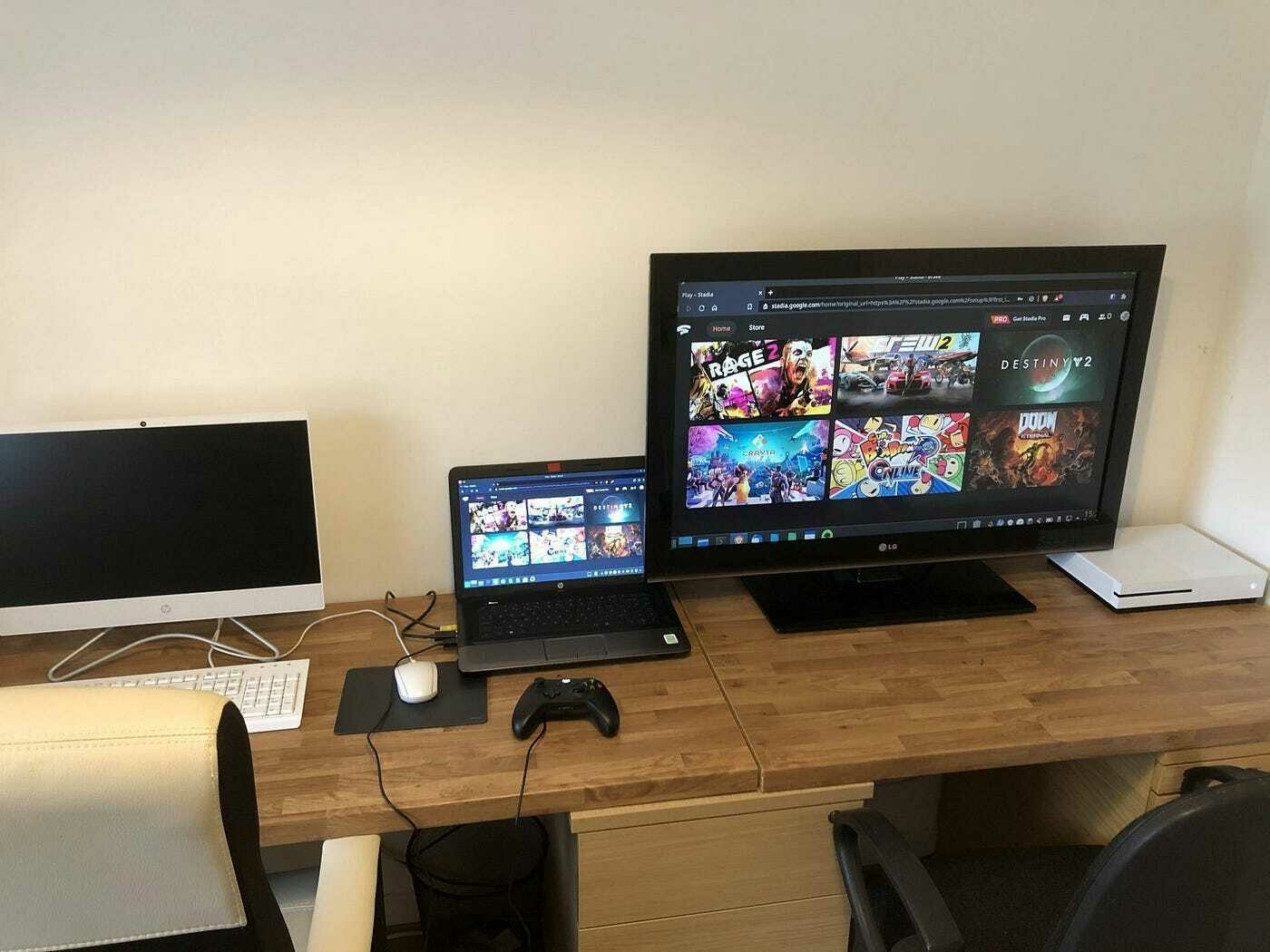
Gaining control of my time has become essential to reaching my goals in life. Gaming can be a great way to unwind, but it can also be a major source of stress. Reading articles on Game Quitters helped me evaluate my current situation. I don’t want to be tied to my gaming platform anymore, spending hours of my day losing track of time. Ever since the downfall of Google Stadia, I have had time to reflect on how I spend my money and time. I’m shocked to think I had spent over £300 on Stadia games. The reimbursement by Google was much appreciated. I used that money to take my family out and invest in online training.
The final straw was loading up my Xbox One S to install Flight Simulator through Xbox Game Pass to find out I needed a new Xbox Series X|S to run it. I really do not want to be spending more money right now.
Moving forward
Quitting gaming is a difficult decision, but it is an important step to creating a better and more balanced lifestyle. From here on out, I will no longer let gaming control my life and my schedule. I have removed all games from my mobile devices, laptop and desktop PC.
The Xbox is staying because my son will use that for gaming with his friends. I genuinely don’t feel I will be tempted. To reinforce my new habit, I will be tracking it using Evernote. My time and energy will be channelled into activities that propel me forward and push me to reach my goals. It’s time to start making new memories and beginning new adventures.
7 day challenge with an iPad 2022
7 day challenge with an iPad 2022
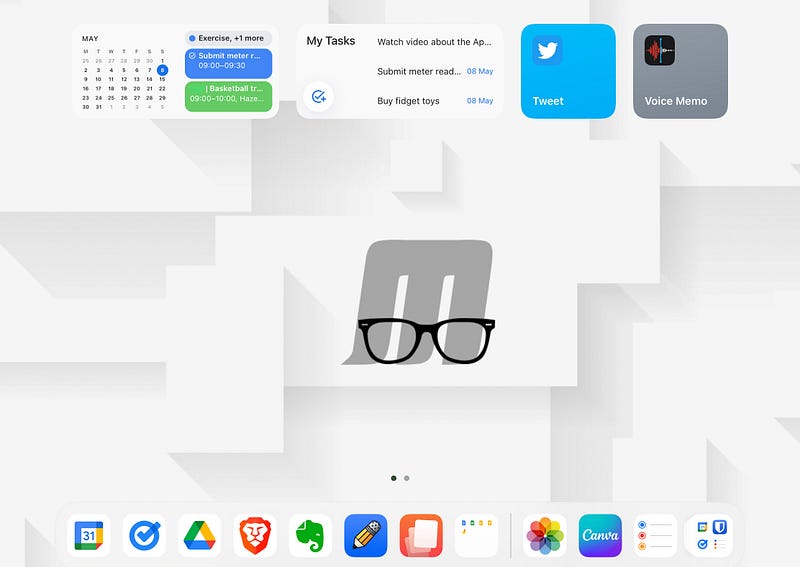
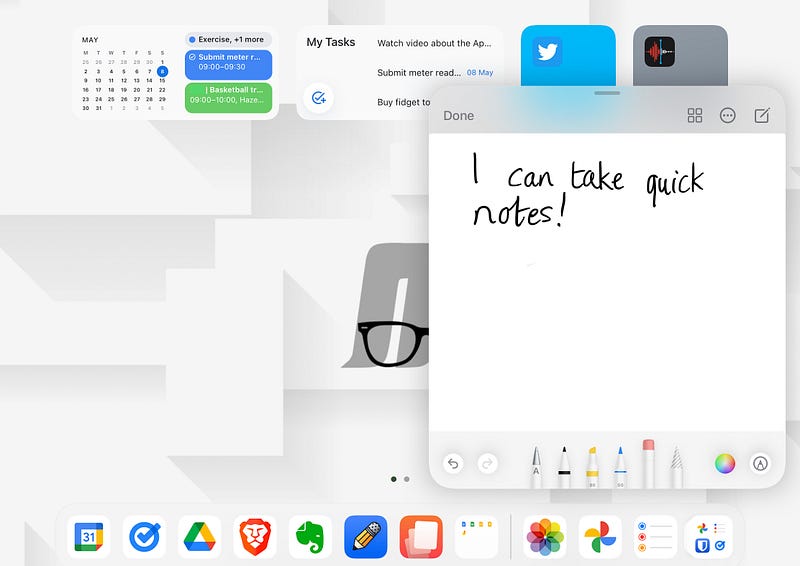
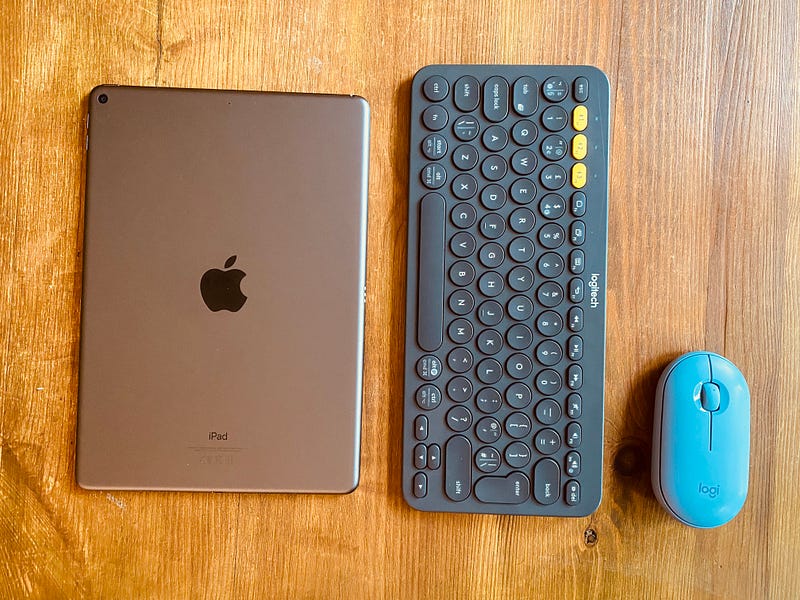
After a number of YouTubers had documented their experience with using an iPad exclusively for a month I thought to myself — Could I even last a week with using an iPad exclusively? Apple appears to think so, if their 2018 ‘What’s a computer?’ ad is anything to go by. Apart from using a Windows laptop for work, I would be restricted to only an iPad for everyday tasks. It certainly sounds like a challenge because I have become accustomed to using my Chromebook each day and dipping into iPad territory when I needed to refine a sketch with the Apple Pencil. I would also refrain from using any gaming console or service other than what Apple has to offer. Admittedly, the challenge would be a whole lot easier with the impressive 12.9 inch iPad Air with Magic Keyboard but I don’t have that type of money.
Where I can see it will be a challenge
I believe the biggest challenge will be the screen size. My Chromebook boasts a Quad HD 13.5” 2256 by 1504 (3:2), LED backlight screen with 427 nits of brightness. I love the Acer Spin 713 screen! Whereas, my Apple iPad Air 3rd gen sports a modest 10.5” 2224 by 1668 (264ppi) screen with 500 nits of brightness. I know it will be more apparent when I am writing my college assignments. The 3:2 ratio of my Chromebook is perfect for documents and websites with the vibrant colours and high brightness. My iPad on the other hand, with its 10.5 inch screen, feels squashed up. I’m not sure if it is the layout of some apps which makes the UI feel a little chunky.
Multitasking will be another challenge. I enjoy the efficiency of virtual desktops and hand gestures to navigate through Chrome OS. I can easily switch between tabs, desktops and applications with a few swipes here and there. I have very little knowledge of using gestures and multitasking in iOS for iPad. I still don’t truly understand the snapping of apps and how to get rid of certain apps without pressing the home button. If anything, multitasking and split screening will be one area where I will have to learn and adapt my practices.
File system — I know Apple Files a little to understand what works well, how the folders are set up and where I have been limited in the past but I am not sure if using Apple’s file system will be the most effective. I think I will stick with my Google Drive app and other Google Docs apps to serve my purpose for this experiment. Maybe I am not doing the experiment justice on this one but I need access to the files and photos I use every day.
Battery life — Although my iPad has a reasonable battery life, it does not come close to what I get on my Acer Spin 713 Chromebook. I don’t know the technical depth to compare but I reach three days on my Chromebook with moderate usage. My iPad Air 3, on the other hand, achieves a day of usage without me feeling a little bit of battery anxiety.
Where I will be successful with the challenge
Cross device synchronisation — I have been using an iPhone for a year now. I bought my iPhone 11 on 6th May 2021. It became immediately obvious what others were saying about Apple’s walled garden (ecosystem). How each Apple can integrate with other devices connected. I can choose where music is played, browse a website and then continue reading it on another device or even Airdrop files from my iPhone to iPad within seconds. Apple has reduced the friction there. However, getting files outside their ecosystem is another story. I know this is an area I will have difficulty with.
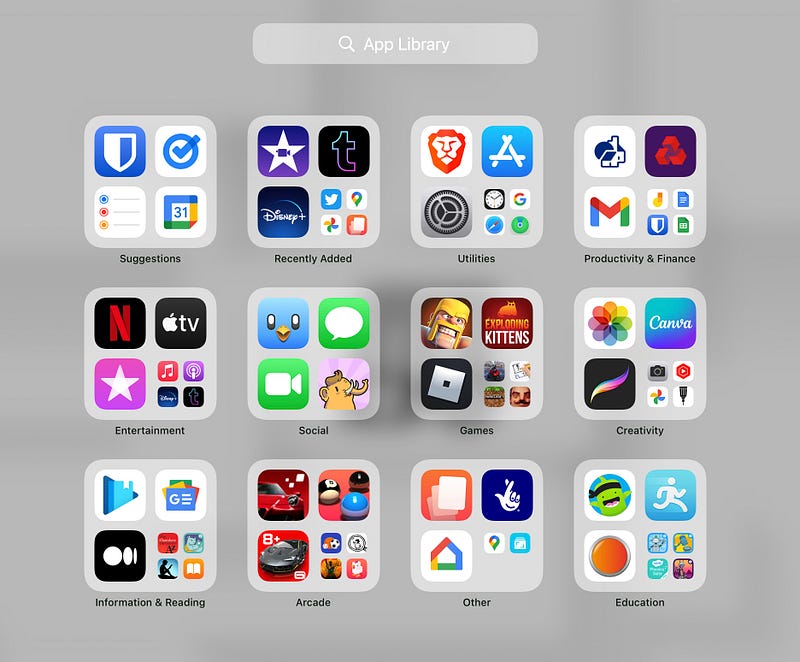
Invested in the Apple ecosystem — I have Apple One and a plethora of apps/services to keep me entertained. I use Apple Music, TV+ and Arcade on a daily basis but not so on my iPad. Most apps I install on my iPhone will automatically install on my iPad, including the synchronisation of my data too. This is super handy when I want to continue something on my iPad. Some apps, like Bento and Momently do not scale because they have not been optimised for the iPad. They appear as the iPhone version with the ability to scale upwards. The same experience can be said for a range of Android apps I use on my Chromebook too.
Where I can see it will be a challenge
I believe the biggest challenge will be the screen size. My Chromebook boasts a Quad HD 13.5” 2256 by 1504 (3:2), LED backlight screen with 427 nits of brightness. I love the Acer Spin 713 screen! Whereas, my Apple iPad Air 3rd gen sports a modest 10.5” 2224 by 1668 (264ppi) screen with 500 nits of brightness. I know it will be more apparent when I am writing my college assignments. The 3:2 ratio of my Chromebook is perfect for documents and websites with the vibrant colours and high brightness. My iPad on the other hand, with its 10.5 inch screen, feels squashed up. I’m not sure if it is the layout of some apps which makes the UI feel a little chunky.
Multitasking will be another challenge. I enjoy the efficiency of virtual desktops and hand gestures to navigate through Chrome OS. I can easily switch between tabs, desktops and applications with a few swipes here and there. I have very little knowledge of using gestures and multitasking in iOS for iPad. I still don’t truly understand the snapping of apps and how to get rid of certain apps without pressing the home button. If anything, multitasking and split screening will be one area where I will have to learn and adapt my practices.
File system — I know Apple Files a little to understand what works well, how the folders are set up and where I have been limited in the past but I am not sure if using Apple’s file system will be the most effective. I think I will stick with my Google Drive app and other Google Docs apps to serve my purpose for this experiment. Maybe I am not doing the experiment justice on this one but I need access to the files and photos I use every day.
Battery life — Although my iPad has a reasonable battery life, it does not come close to what I get on my Acer Spin 713 Chromebook. I don’t know the technical depth to compare but I reach three days on my Chromebook with moderate usage. My iPad Air 3, on the other hand, achieves a day of usage without me feeling a little bit of battery anxiety.
Where I will be successful with the challenge
Cross device synchronisation — I have been using an iPhone for a year now. I bought my iPhone 11 on 6th May 2021. It became immediately obvious what others were saying about Apple’s walled garden (ecosystem). How each Apple can integrate with other devices connected. I can choose where music is played, browse a website and then continue reading it on another device or even Airdrop files from my iPhone to iPad within seconds. Apple has reduced the friction there. However, getting files outside their ecosystem is another story. I know this is an area I will have difficulty with.
Invested in the Apple ecosystem — I have Apple One and a plethora of apps/services to keep me entertained. I use Apple Music, TV+ and Arcade on a daily basis but not so on my iPad. Most apps I install on my iPhone will automatically install on my iPad, including the synchronisation of my data too. This is super handy when I want to continue something on my iPad. Some apps, like Bento and Momently do not scale because they have not been optimised for the iPad. They appear as the iPhone version with the ability to scale upwards. The same experience can be said for a range of Android apps I use on my Chromebook too.
So it begins…
So, here’s the challenge — last seven days using my iPad exclusively! Non-Apple messaging and calls are allowed on my iPhone but everything else has to be on my iPad. I will start the challenge from 5pm on 8th May 2022 and finish it on the 15th May 2022 at 5pm. I will either regret it or learn something new.
Blog originally posted on minimlr.com
Why I quit social media!
Why I quit social media!
It was early December 2021 and I created a new Twitter account. This time it will be different, I told myself. No more spending large amounts of time on the platform. I will discipline myself to refrain from getting sucked in. This is not what happened at all.
Discovering the digital detox
In mid June 2020, around my birthday, I decided to delete my Twitter, Facebook, Snapchat, Reddit, Instagram and Tumblr accounts. I had an epiphany — too many of my tasks I wanted to complete were not happening and my time spent each day was deep in the world of social media. Why was this happening? I started to question myself and did what any respectable person would do…search social media for answers. It was then, I realised the extent of my addiction and the discovery of digital minimalism. An average of five hours of screen time on my phone was not a good look. I think the YouTube algorithms knew I was into minimalism so why not suggest the term ‘digital minimalism’? With a combined total of 2 hours 12 minutes of viewing time on YouTube, I explored what others called a digital detox and how they identified digital minimalism helped them lead a more meaningful life. There were multiple examples of how modern life was becoming overwhelming and we are dependent on social media and our devices. I’ve seen it with my own eyes as a teacher. I lost count how many times I had seen parents picking up their children and showing little interest in them as they scrolled through their phones while walking out of the school gates. I remember vividly how it would put a lump in the back of my throat on two occasions. One Youtuber, Break the Twitch (aka Anthony Ongaro), documented what he did to curb his digital obsessions and I immediately related to what he was saying. Just like his advice of breaking the twitch, I needed to add resistance to my social media usage. So, I deleted my social media apps from my phone and tablet.
The purge
At the time, I thought it was quite radical and impulsive but I was determined to make a change. The first thing I noticed was the amount of storage I freed up. I replaced my cluttered home screen with the bare minimum of five apps on the Android dock and a calendar widget at the top of my screen. Any other unnecessary app and all of my games were gone too. My phone battery lasted more than two days, which was a complete miracle to me. The process felt liberating. After a day of no social media, I could feel my muscle memory guiding my thumb to where my social media apps used to be on the Home Screen. But they weren’t there anymore! A little bit of panic and self-doubt crept in. Was I being too hasty? I managed three days without social media before accessing YouTube and the explore page of Twitter through my web browser. It felt good to have that little dose of dopamine in my system. However, there was an overwhelming sense of guilt with an hour of my life wasted.
No going back
I thought to myself — If I’m going to do this properly, I will have to completely delete my accounts. There was no signing off message or fond farewells. I simply deleted the accounts. It was amazing how much resistance these companies put into retaining you during the process (nothing like cancelling Amazon Prime though). A great sense of FOMO set in immediately and I questioned whether I had done the right thing. I came off my Chromebook and carried on with my daily tasks without another thought of what I had done. However, half a day had gone and I received a message from a close friend to say he couldn’t send me a video clip through Facebook Message because I wasn’t appearing in his contact list. I explained what I had done and he was OK with it, knowing my resentment for certain individuals at Facebook (now Meta). I explained I was still available through traditional messaging outlets but I noticed I was receiving one video a month compared to possibly two a day.
Unexpected consequences
I don’t know how it has come to this but being off social media can be quite isolating at times. I noticed I would be left out of conversations among different groups of people because I did not have the lowdown from posts that had been made. I missed invites on group chats because I simply wasn’t there. Two people were actually offended that I had removed myself from social media because they thought I had blocked them or even fallen out with them. Some services require you to have a social media account to sign in. I lost count of how many times I had to explain what I had done. I felt like having a leaflet to hand out with my intentions and reasoning. Regrettably, I did feel a bit of superiority and privilege to be off them and I would talk to people how, they too, should be off social media for their well-being. I’m sure they got bored of me. I certainly did. Only when you are off social media, you realise how much people reference it in everyday conversations. I felt old when people mentioned something and I had no idea what they were talking about. The itch to get back on grew each day. I probably had three months in total where I really did not miss it at all.
I’m back on social media
There was a moment in June 2020 where I thought my obsession to avoid digital devices and social media was somewhat silly. There was a pandemic going on. More than ever, connecting with others who I couldn’t physically be in contact with was more important at that moment. I had been able to create the habits and discipline to trust myself to be online in a social capacity. I signed up to Facebook for family and friends, created a Twitter account to link with others with similar interests and a Tumblr account to do a little micro journaling. I accessed Facebook through a web browser on my Chromebook with plenty of anti-tracking plugins installed. There is no way I would install the app on my phone or iPad. I didn’t check it every day either. Snapchat and Instagram were a no go because I simply had no interest in using them. My main social outlet now — Twitter where I go by the username @theminimlrblog to tweet about the things I enjoy and Tumblr theguywiththeglasses.blog for my personal micro journal. I don’t plan on deleting them any time soon. Keeping a close eye on my daily usage is key and I plan to have regular well-being check ups to make sure I am using them responsibility. The whole experience of removing myself from the digital world helped me check-in with what I truly valued. My close contacts mean the world to me and I am loyal to them. Those one to one experiences are more meaningful now. I can confidently say I am more social now than ever before.
“Where we want to be cautious…is when the sound of a voice or a cup of coffee with a friend is replaced with ‘likes’ on a post.” — Cal Newport
Have you quit social media and come back to it?
I would like to hear how you manage your time on social media now. Any success stories about using digital minimalism to help you achieve a healthier relationship with social media is very welcome.
Originally posted on minimlr.com